
Add the connection
- Go to Agents, open the agent you want to extend, and add a connection from its data sources area.
- Pick the connector. Use the category chips or search; Enterprise-only connectors show a lock if you have no license.
- Fill in the connection fields and credentials. Every connector’s fields are documented on its own page — see the catalog.
- Decide whether this connection uses shared credentials or per-user authentication.
- Test the connection, then save. Bag of words validates the credentials before storing them, so a saved connection is a working one.
Nothing is copied. Bag of words queries your data where it lives, every time, using the credentials you configured.
Choose which tables the agent sees
Once connected, Bag of words reads the schema and lists what it found. Enable the tables (or files, or tools) the agent should use.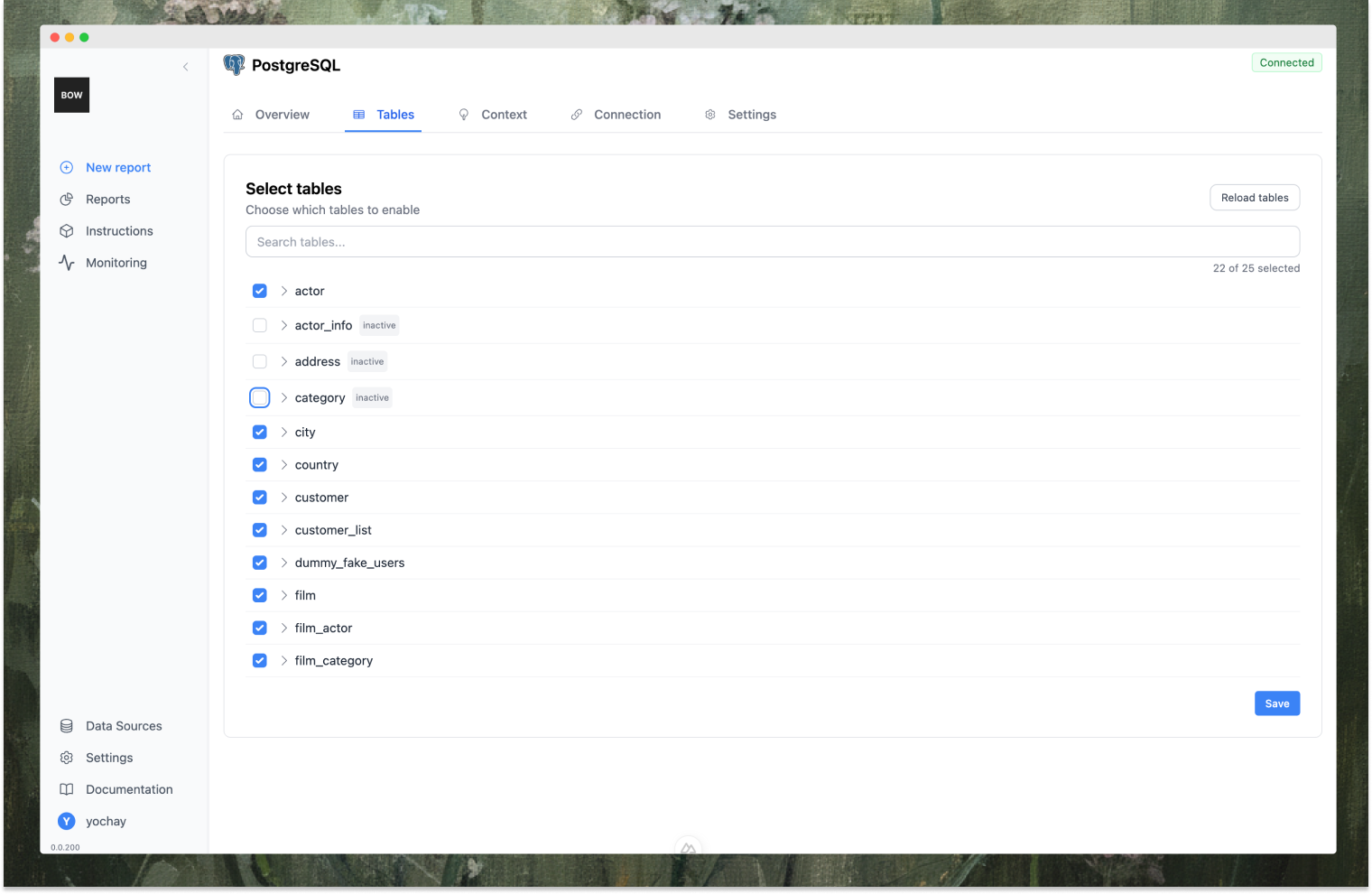
Choose which columns the agent sees
The same applies inside a table. Expand a table in the list, uncheck the columns the agent doesn’t need — internal IDs, audit fields, free-text blobs, personal details — and click Save. The table shows a badge such as 9/13 cols, and Show all / Hide all reset the selection in one click.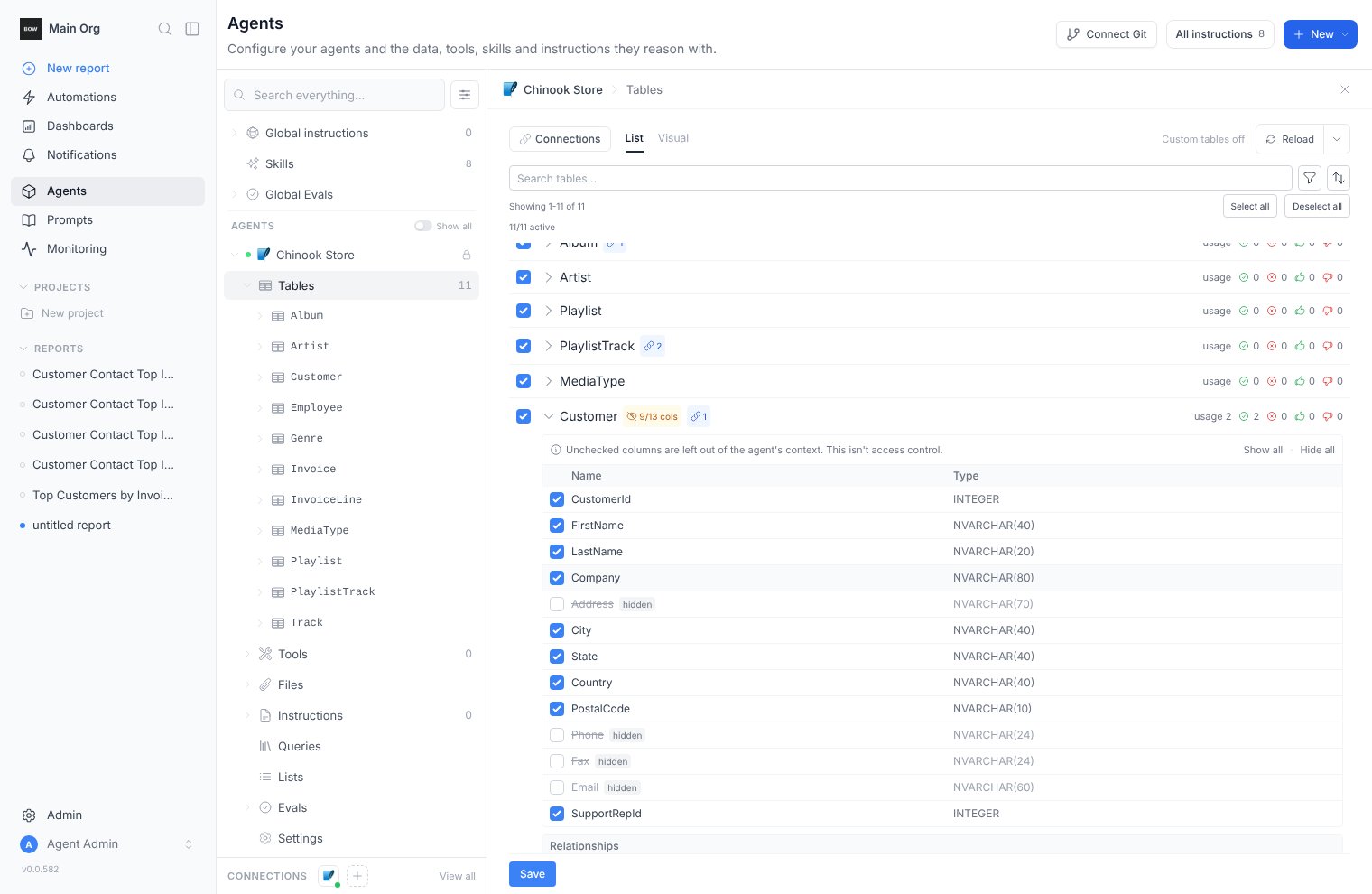
Describe what the data means
The schema tells the agent what exists; the description tells it what things mean. This is the highest-leverage text you will write. Description — the business domain, the key entities, and how they relate: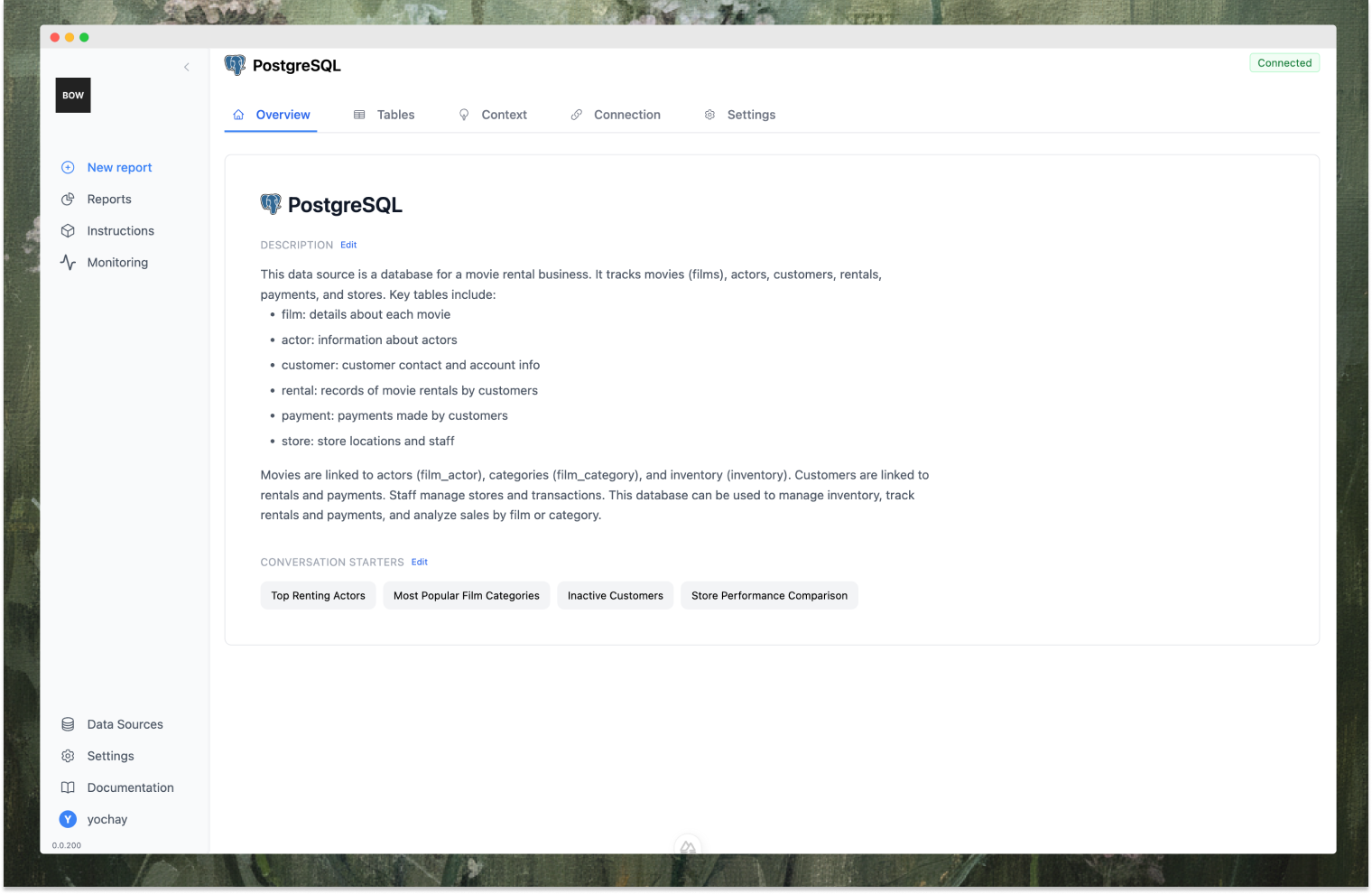
- “Top Renting Actors”
- “Most Popular Film Categories”
- “Inactive Customers”
- “Store Performance Comparison”
Add instructions and import context from Git
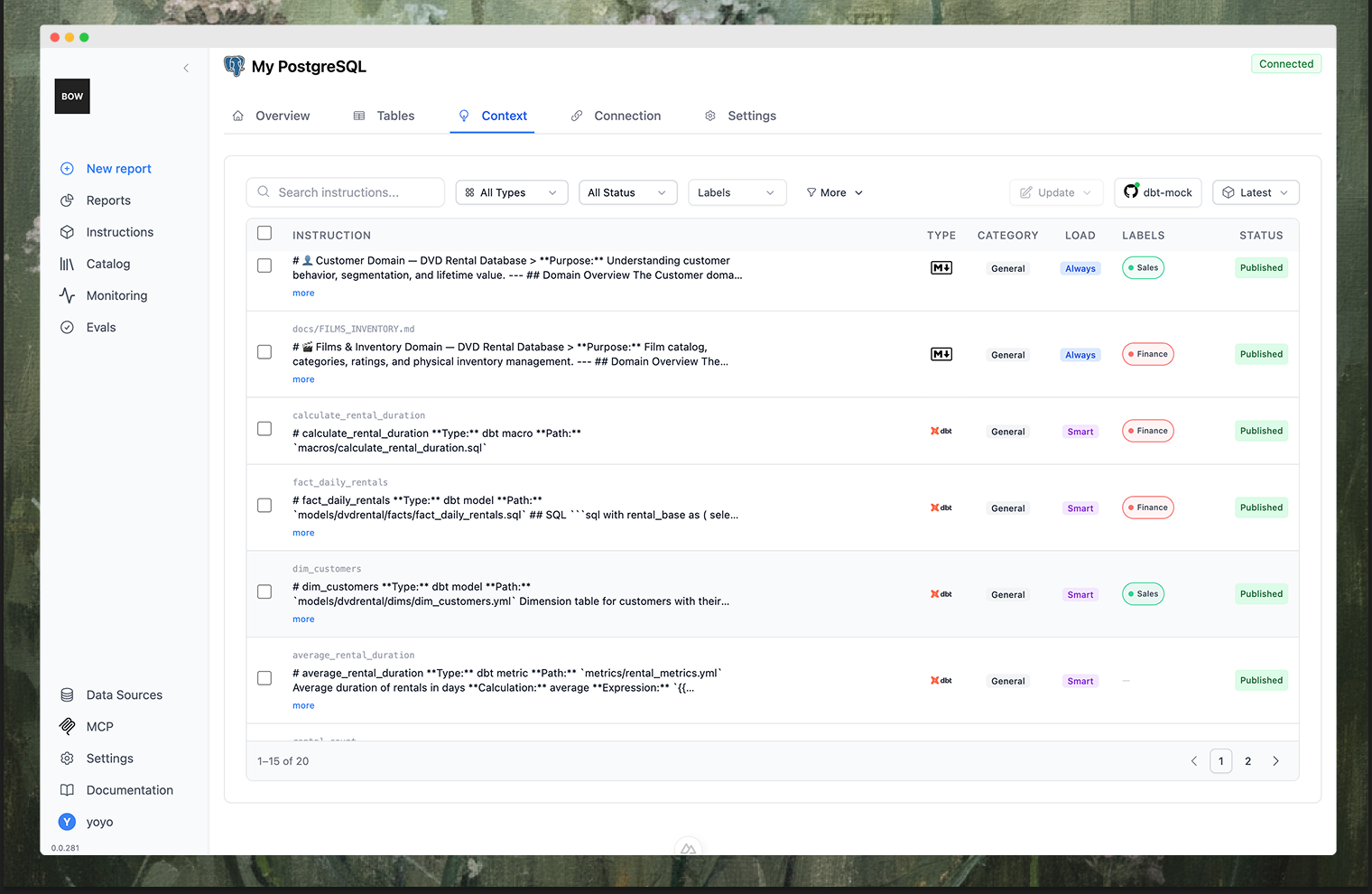
Instructions encode business logic the schema can’t express — how revenue is defined, which rows to exclude, which of two similar tables is canonical. You can write them by hand, or import them from a Git repository so your existing definitions stay the source of truth:- dbt — model descriptions, column documentation, and relationships
- LookML — Looker models and their business logic
- Tableau — data models and calculated fields
- Markdown — any documentation file in the repo, such as
AGENTS.md - Code — SQL and Python files
Control access
On the data source’s settings tab:- Members — who can use this data source, and at what permission level.
- User authentication — require each person to connect with their own credentials instead of sharing one set. See Authentication and access.
- Channel availability — which chat channels this data source is reachable from. A source can be available in the web app but hidden from Slack, for example. See Channels.
Keep the catalog fresh
Schemas drift. Reload the table list after a migration, and re-run indexing when you add objects. On Enterprise, connections can re-index on a schedule instead — either every N hours or at a fixed time of day — so the agent’s picture of your data stays current without anyone remembering to refresh it.Best practices
- Write a rich description. More context about your domain means better queries.
- Enable only relevant tables and columns. Don’t make the agent sort through unused ones.
- Name connections clearly. “Production DB” beats “postgres-1”.
- Add instructions for business logic. Definitions, filters, and calculation rules belong here, not in every user’s prompt.
- Create conversation starters. They teach people what the agent is good at.
- Use per-user auth for sensitive sources. Let the source system enforce its own permissions.