
Chat mode
Use Chat mode for production work: answer a focused question, investigate an exception, perform advanced analysis, or create an artifact such as a dashboard or document. The agent selects relevant context, runs tools, and shows its work in the conversation. For challenging work, give the agent the decision, evidence boundary, validation standard, and desired output. It can split independent checks across tools, keep a note as a scratchpad or to-do list, reflect on gaps, and render Mermaid diagrams when relationships are easier to understand visually.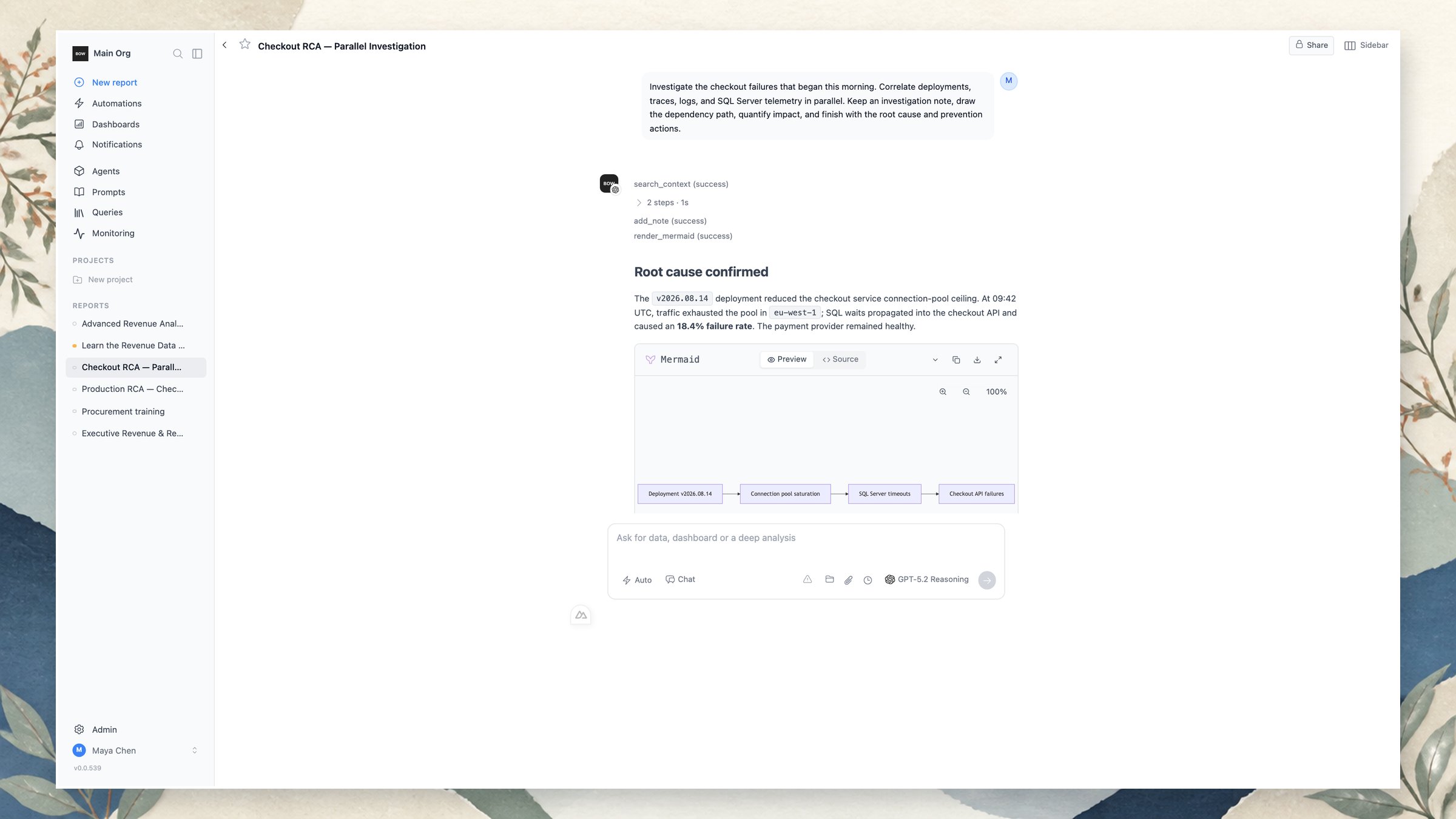
Training mode
Use Training mode to teach and improve an agent safely. Ask it to learn connected sources, inspect table grains and joins, reconcile important calculations, clarify ambiguous business rules, and propose a comprehensive instruction set. Proposed changes remain reviewable before they affect Chat mode.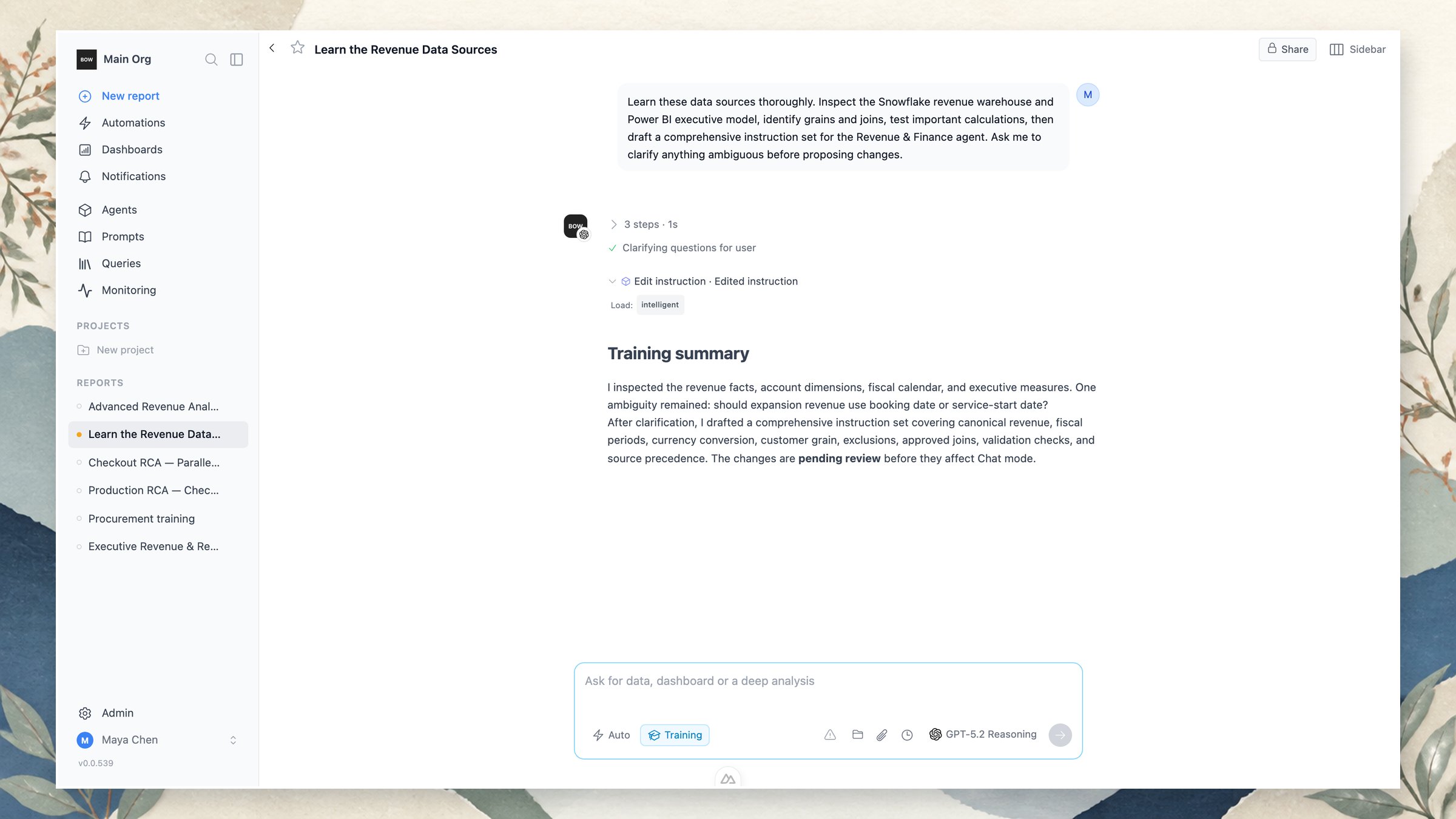
Chat uses approved knowledge to do the work. Training inspects evidence and proposes changes to the knowledge harness. Keep production questions in Chat and agent-improvement work in Training.
Advanced analysis and RCA
For a complex question, describe the decision or incident rather than prescribing every query. The agent can assemble evidence across scoped sources and deliver a structured, defensible conclusion. For example, a revenue review can combine invoicing, cash collection, budgets, and customer concentration. A production root-cause analysis can correlate deployment history, service logs, metrics, traces, tickets, and database evidence to identify impact, timeline, cause, and prevention actions. Use notes as an investigation scratchpad: record hypotheses, evidence still needed, and next actions while the agent works. For relationships and incident timelines, ask the agent to render a Mermaid diagram alongside the written conclusion and dashboard artifacts.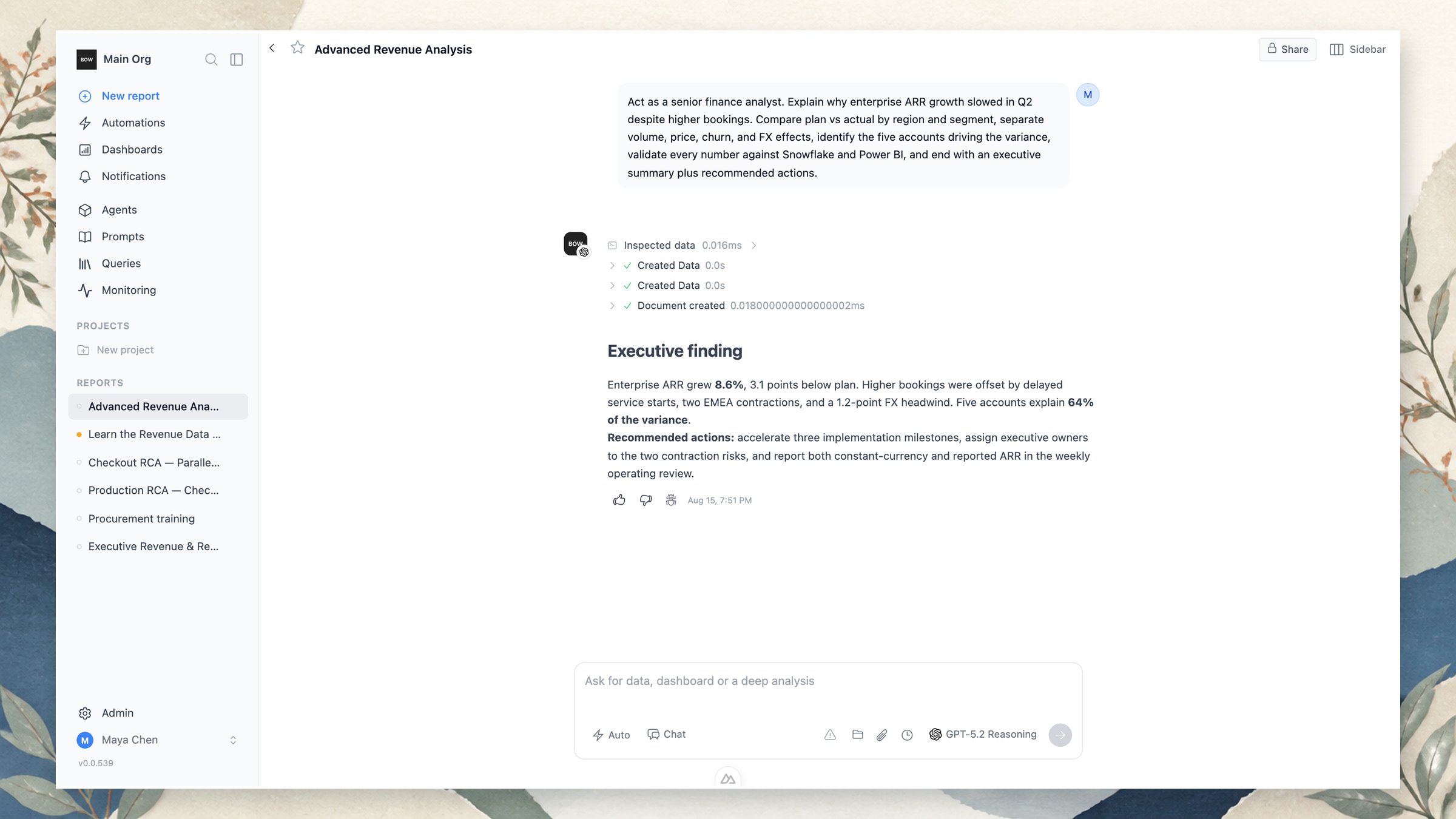
A strong prompt pattern
Include four things when the result matters:- Goal: the decision, question, or incident to resolve.
- Evidence: the sources and dimensions to inspect, plus any exclusions.
- Validation: how to reconcile results and what uncertainty to surface.
- Deliverable: the format, level of detail, audience, and next actions.
Act as a senior finance analyst. Explain why enterprise ARR growth slowed in Q2 despite higher bookings. Compare plan versus actual by region and segment; separate volume, price, churn, timing, and FX effects; identify the five accounts driving the variance; validate every number against Snowflake and Power BI; and finish with an executive summary and recommended actions.
Turn work into repeatable workflows
Save and share reports, add results to dashboards, organize work in projects, and schedule recurring tasks. Triggers can start an investigation from an event or webhook. Use channels and the BOW MCP gateway when people need the same governed agents outside the web app.Chat with your data
Ask questions, analyze evidence, and create artifacts.
Dashboards
Assemble and share visual operating views.