
fetch, and renders Server-Sent Events as they arrive.
This guide is for internal tools, trusted admin panels, and backend-proxied production apps.
What You Need
- A Bag of Words base URL — for example
https://bow.example.com - An OAuth app registered with the
appscope - An exact callback URL controlled by your application
- Optional data source or agent IDs to attach to the report
- A backend that can hold the user’s OAuth tokens and proxy the BOW stream
Do not include
/api in the user-facing base URL. Build the API base internally:Set up OAuth
OAuth is the default credential for a user-facing embedded app. Every person signs in to BOW, and the resulting token calls the API with that person’s existing organization membership and permissions.- In BOW, open Settings → Channels → OAuth Apps.
- Register an app with the BOW app access surface.
- Add your exact callback URL.
- Copy the client ID.
- Implement Authorization Code with PKCE
S256.
state before exchanging the code. A backend application should perform the exchange on its server and keep the access and refresh tokens in the user’s encrypted session. A public browser client can exchange without a client secret, but should keep its short-lived tokens in sessionStorage, not persistent storage.
The API examples below assume you have the resulting bow_oauth_... access token.
Local and Entra ID sign-in
Your app does not implement separate local and Microsoft sign-in flows. It always redirects to BOW. If the user has no BOW session, BOW presents its own sign-in page. The user can enter a local BOW email and password or select a configured provider such as Sign in with Entra. BOW preserves the OAuth request across the sign-in round trip and returns the user to your callback. For BOW deployment configuration, see Microsoft Entra ID sign-in. A regular OAuth app shows consent after sign-in. A Trusted internal app skips the consent screen and returns automatically; it still requires the user to authenticate when no BOW session exists. If the user selects Deny, your callback receiveserror=access_denied with the original state, and no token is issued.
Recommended Architecture
Use a backend-for-frontend for production applications:- start the OAuth flow and store
stateplus the PKCE verifier - exchange the authorization code
- keep access and refresh tokens out of browser JavaScript
- enforce your application’s own authorization rules
- proxy BOW API requests and stream SSE responses to the browser
- rotate the stored refresh token after every successful refresh
Browser-only apps and CORS
A browser-only app can use OAuth as a public PKCE client, but direct cross-origin API calls also require a BOW server allowlist. Set exact origins on the BOW deployment and restart it:*.
CORS is not involved when your backend calls BOW. Leave
BOW_CORS_ALLOWED_ORIGINS unset for proxied and same-origin deployments.When to use a service account instead
Use a service-account API key only for an unattended integration with no signed-in person, such as a scheduled backend job. Create it under Settings → Service Accounts and keep it server-side. Do not put a personal or service-account API key in browser code.Minimum Streaming Flow
- Create a report with the data sources your chat should use.
POSTa streaming completion to that report.- Parse SSE frames from the response body.
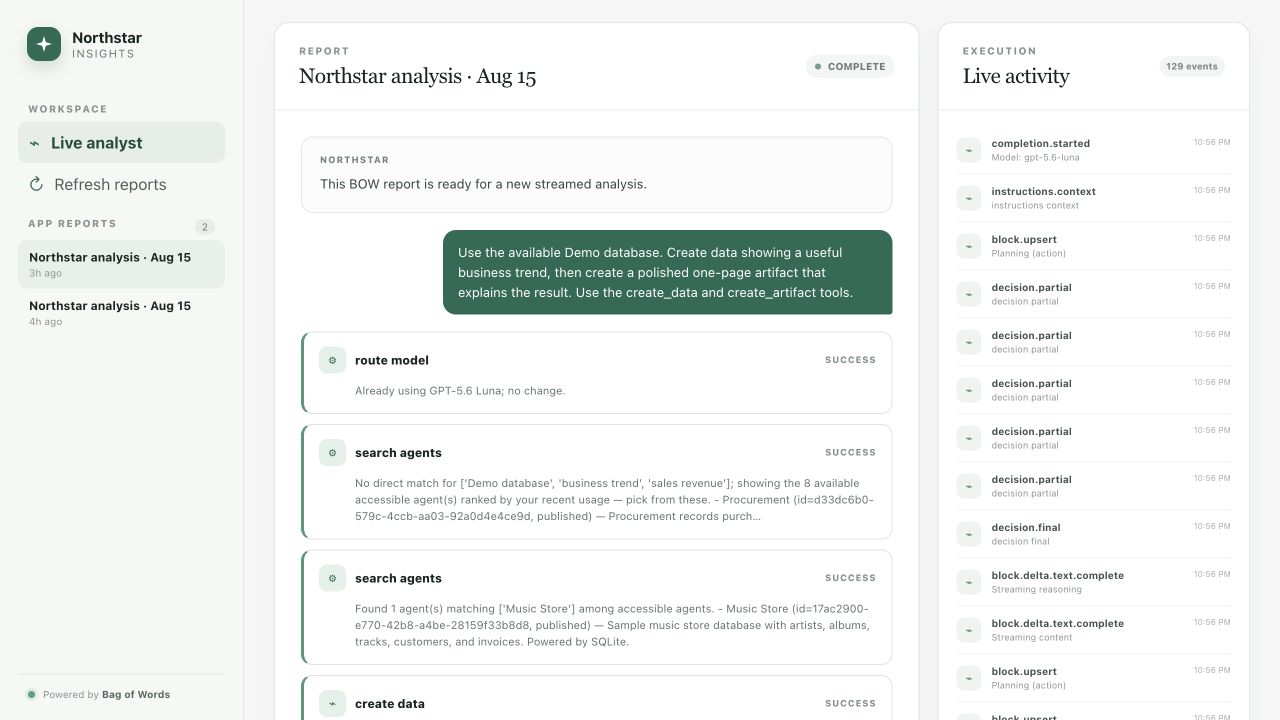
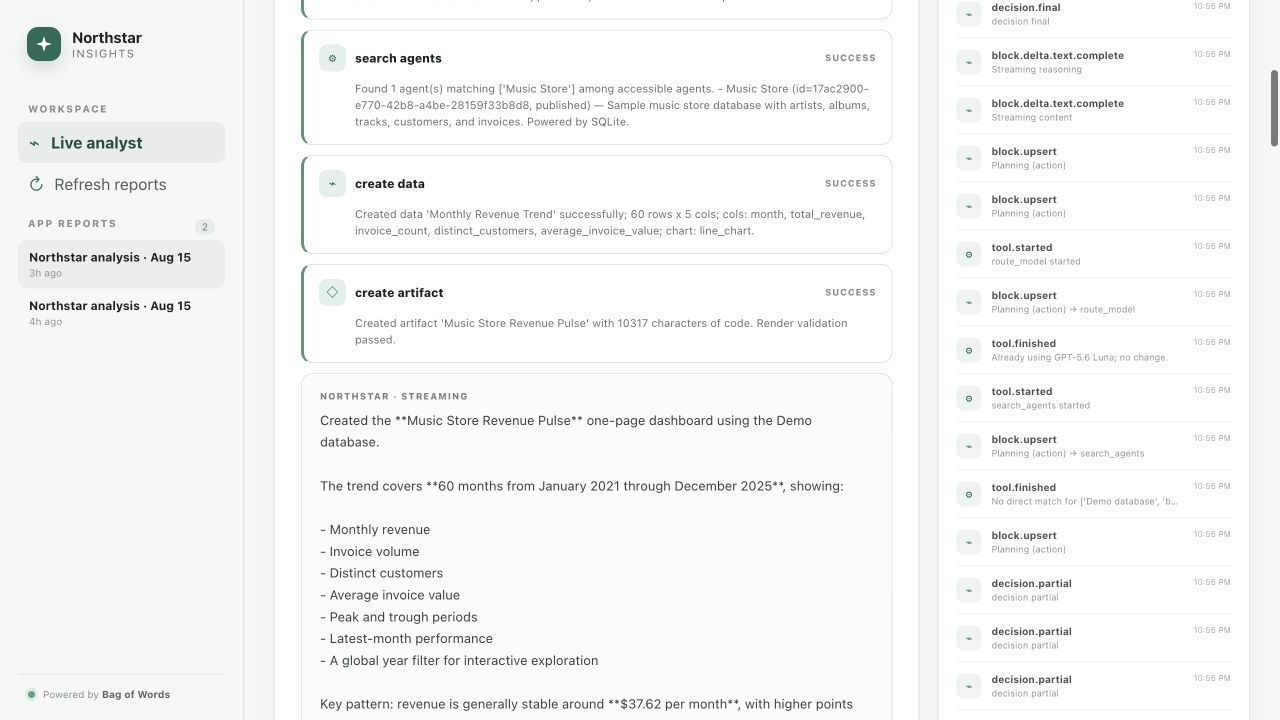
- Render assistant text, reasoning, tool progress, and errors from the events.
Reports are the scope for data sources. Attach data sources when creating or updating the report — not in the completion prompt mentions.
Create a Report
Create a report when the user starts a new chat session or when you need a temporary scratch report.Stream a Completion
Usefetch, not EventSource, because the completion stream is a POST request with custom headers.
The same endpoint serves streaming and non-streaming responses. It streams when any of these is true — send stream: true and the Accept header together for clarity:
stream: truein the request bodyAccept: text/event-stream?stream=truein the query string
SSE Format
Bow sends standard Server-Sent Events:data: lines belong to the same event and should be joined with \n.
The data: payload is an envelope — parse it like this:
data: [DONE] means the stream is complete.
Tiny SSE Parser
The Python version is shorter because
httpx’s iter_lines() already handles chunk reassembly and \r\n line endings, and yields the blank separator lines the framing depends on. The TypeScript version buffers bytes itself, so it has to do that work by hand.Event Reference
Handle unknown events gracefully — the API may add events over time. A minimal chat only needscompletion.started, block.upsert, block.delta.token, block.delta.text, the tool.* events, and completion.finished; the rest are available when you want to render more of the run.
Every frame carries the same envelope — event, data, timestamp, completion_id, agent_execution_id, seq — so seq gives you a stable ordering within a run.
Run lifecycle
Text and blocks
Tools and artifacts
Rendering a Chat UI
This section stays in TypeScript whatever your backend is written in. With a backend-for-frontend, your Python service parses the BOW stream and forwards events to the browser, where this reducer runs.
- Store
status:idle,streaming,success, orerror - Store blocks by
id - Append
block.delta.tokenfor assistant text - Replace text on
block.delta.text - Show reasoning inside a collapsible disclosure
- Show tools as compact rows with name, status, and summary
- Keep raw JSON behind a disclosure for tool payloads
- Keep the raw SSE log available in a debug tab
Resume and Stop a Run
A dropped connection does not stop the agent — the run continues server-side. Two endpoints cover the rest of the lifecycle. Re-attach to a run in progress (page refresh, network drop, a second tab). Pass thesystem_completion_id you stored from completion.started. The endpoint is idempotent and side-effect free, so it is safe to retry with backoff. It replays the run’s blocks, then continues live:
AbortController only closes your side of the socket; the agent keeps working and keeps spending tokens. To cancel the run itself, call:
sigkill to end the run, AbortController to release the reader. The run then finishes with status: "stopped".
Non-Streaming and History
Omit the streaming triggers and the samePOST returns JSON once the run completes, which suits scheduled jobs and server-side summaries. Add ?background=true to return immediately and let the run continue in the background.
Sending a second prompt while a run is still going starts a second concurrent run on the report. If you want the chat to behave like one turn at a time instead, send "queue": true — the prompt is stored with status: "queued" and starts automatically when the current run finishes. Queued prompts never stream; drop one with DELETE /api/completions/{completion_id}/queued while it is still queued.
Both that response and GET /api/reports/{report_id}/completions return the whole conversation envelope, not a single completion:
role: "system" entry. For history, page with ?limit= and ?before= (an ISO timestamp cursor) and follow has_more / next_before.
Optional API Requests
Validate the OAuth session:Error Handling
Copy-Paste cURL with an OAuth token
Production Checklist
- Register an OAuth app with the
appscope and exact callback URLs - Use Authorization Code with PKCE
S256; verifystateat the callback - Keep OAuth tokens server-side behind a backend proxy
- Replace the stored refresh token after every refresh
- Set
BOW_CORS_ALLOWED_ORIGINSonly if browser JavaScript calls BOW directly - Wire the Stop button to
sigkillandAbortController— aborting alone leaves the run going - Persist the report ID for the conversation and the
system_completion_idfor the run in flight, so a refresh can re-attach - Attach data sources through report creation or update
- Keep
mentions: []unless your integration intentionally supports Bow prompt mentions - Treat
completion.finishedas idempotent — it can arrive more than once - Log raw SSE frames for support and debugging
- Render unknown future events without crashing