
S256. Use the app scope for reports, completions, artifacts, and the rest of the BOW API.
OAuth handles both local BOW accounts and configured single sign-on providers. Your application always redirects to BOW; BOW handles the user’s local or Microsoft Entra ID sign-in and returns them to your registered callback.
Recommended architecture
For production web applications, use a backend-for-frontend:BOW_CORS_ALLOWED_ORIGINS. Never use *; list exact origins instead. See Embed BOW Chat.
Register an OAuth app
You need themanage_settings permission.
- In BOW, open Settings → Channels → OAuth Apps.
- Select Register app.
- Enter a recognizable app name.
- Select BOW app for API access. Select MCP tools only when the same client also connects to BOW’s MCP endpoint.
- Add every allowed redirect URI, one exact URI per line.
- Enable Trusted only for an internal application operated by your organization.
- Register the app and copy its client ID. Store the one-time client secret if your backend will use it.
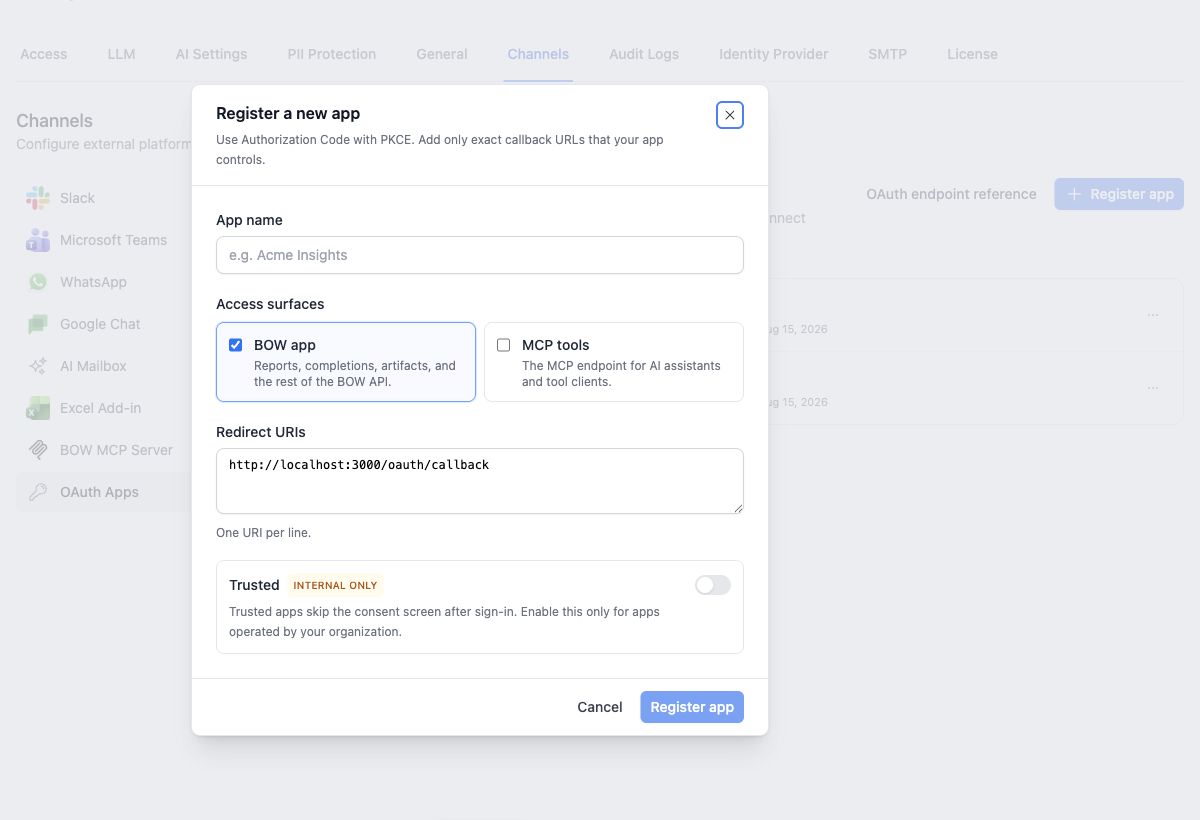 Redirect URIs must match exactly, including scheme, hostname, port, path, and trailing slash.
A public PKCE client does not need the client secret. A backend application should store it server-side and include it at the token endpoint.
Redirect URIs must match exactly, including scheme, hostname, port, path, and trailing slash.
A public PKCE client does not need the client secret. A backend application should store it server-side and include it at the token endpoint.
Access surfaces
Scopes separate the two surfaces; they do not replace BOW permissions. An
app token can perform only the actions its user can already perform in that organization. An app-only token cannot call MCP, and an mcp-only token cannot call the application API.
Changing an app’s access surfaces revokes its existing authorization codes, access tokens, and refresh tokens.
Sign-in and consent
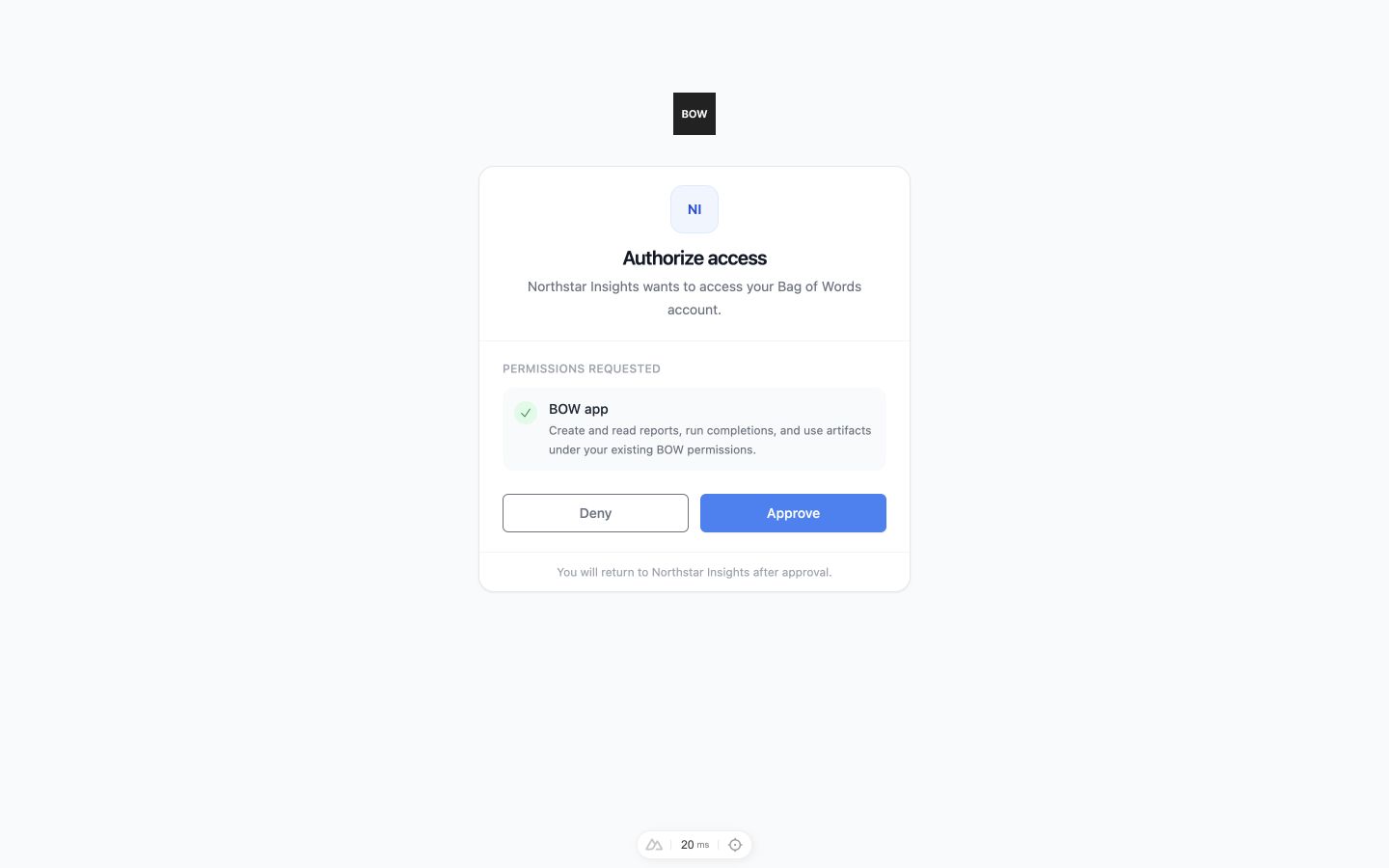
Send the browser to BOW’s authorization endpoint:- A regular app shows the BOW consent screen.
- A Trusted app is approved automatically and returns immediately to its callback. Trusted skips consent, not authentication.
- If the user selects Deny, BOW returns
error=access_deniedand the originalstateto the callback. No authorization code or token is created.
 Always generate and validate
 state to protect the redirect flow.
Exchange the authorization code
At the callback, verifystate, then exchange the short-lived code with the original PKCE verifier:
Call the BOW API
Send the access token as a bearer token:X-Organization-Id to choose another organization. The organization is pinned to the OAuth app and token. BOW also rechecks the user’s membership on every request; removing the user from the organization stops the token immediately.
See Embed BOW Chat for report creation, streaming completions, tool events, artifacts, resume, and cancellation examples.
Refresh the session
Use the refresh token before or after the access token expires:Discovery endpoints
Use discovery instead of hard-coding endpoint paths when practical:
The authorization server metadata advertises the authorize and token endpoints, supported scopes, PKCE method, and grant types.
Manage and revoke access
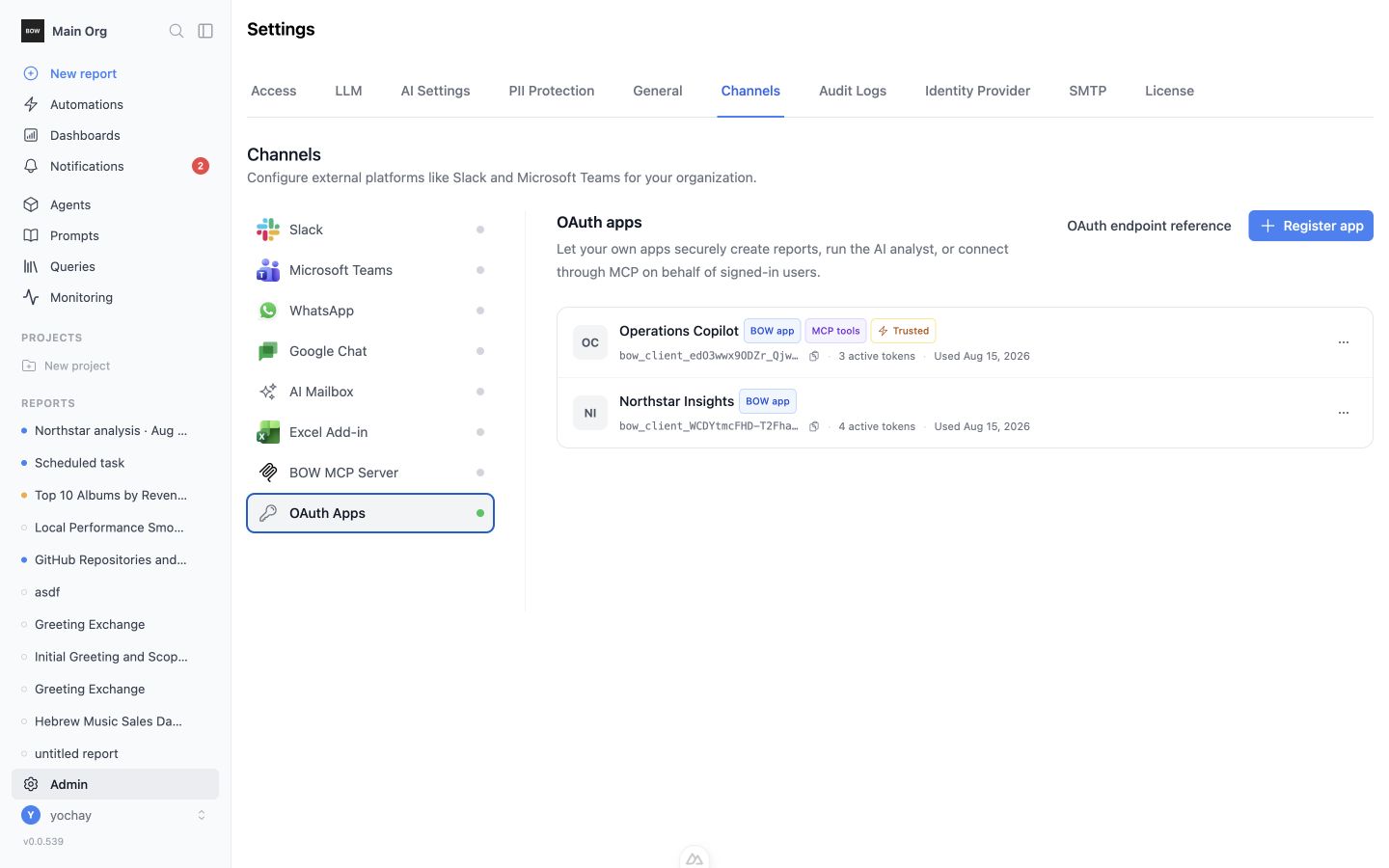
OAuth Apps shows each client ID, access surfaces, trusted status, active token count, and last-used time. Use its actions menu to:- edit the name, scopes, trust setting, or redirect URIs
- rotate the client secret
- delete the app and revoke its codes and tokens