
The activity view and export are included in the Team and Enterprise licenses. Log streams need an Enterprise license.
What is recorded
Each event has an action such asapi_key.created, member.role_changed or tool.data_queried, the actor, the resource it touched, the time, the IP address and user agent, and action-specific details.
The actor is one of:
Agent tool events are written durably: under heavy load or a short database outage they are queued, retried and, if needed, kept on disk until they can be written. They are not dropped.
Activity
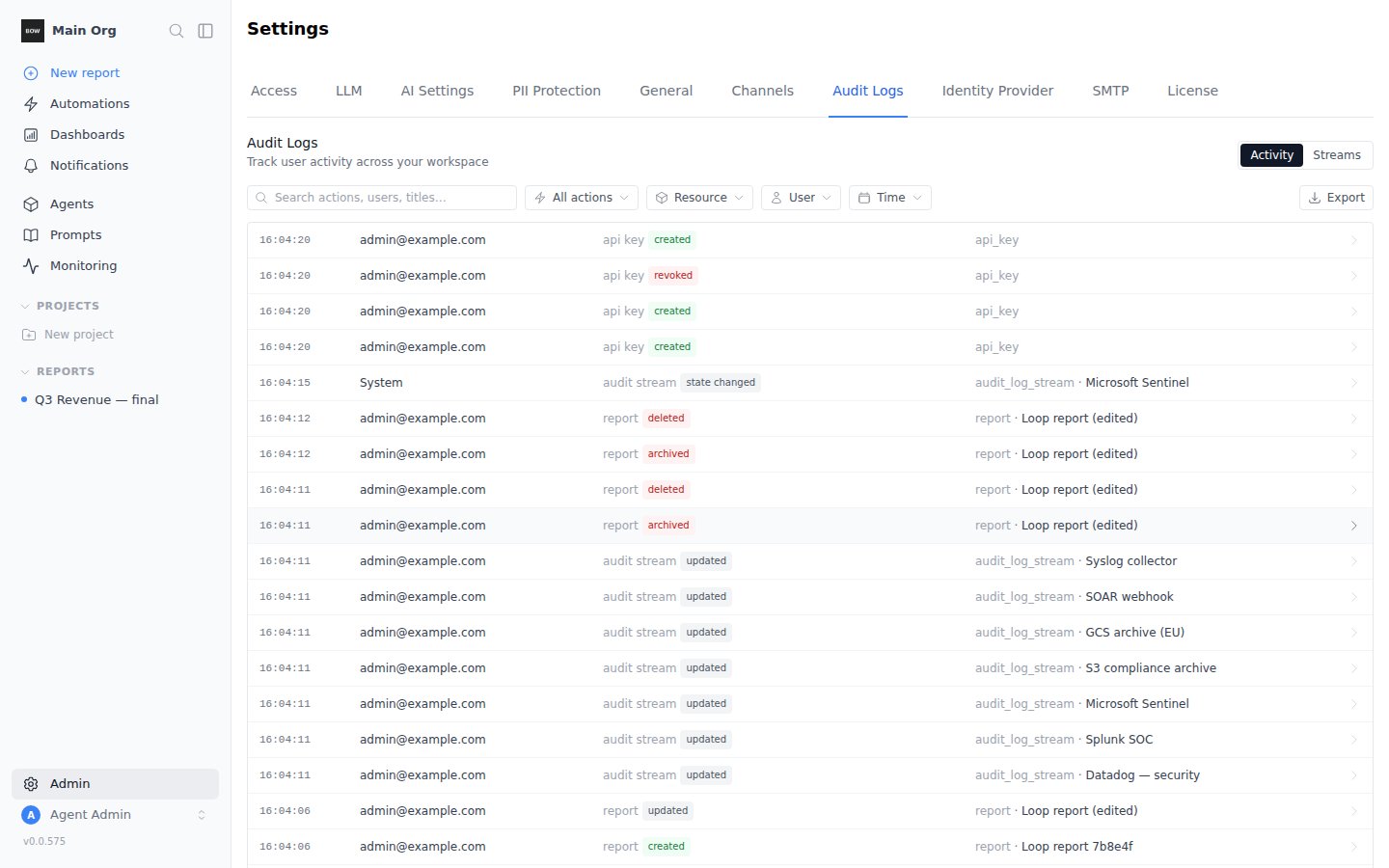
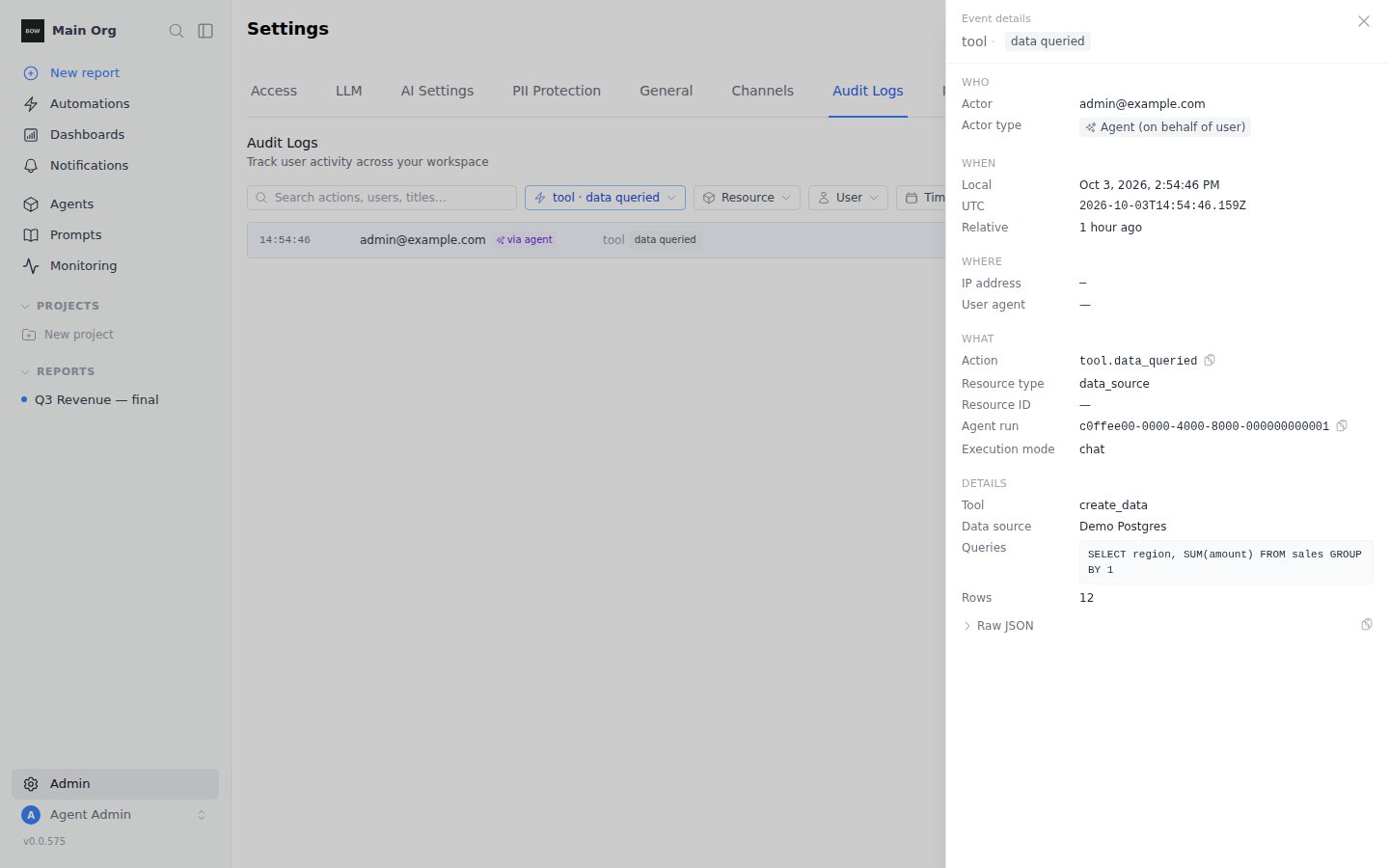
Filter and search
- Search matches actions, user emails and resource titles.
- All actions narrows to one action.
- Resource narrows to one or more resource types.
- User narrows to one member.
- Time narrows to a preset range or custom dates.
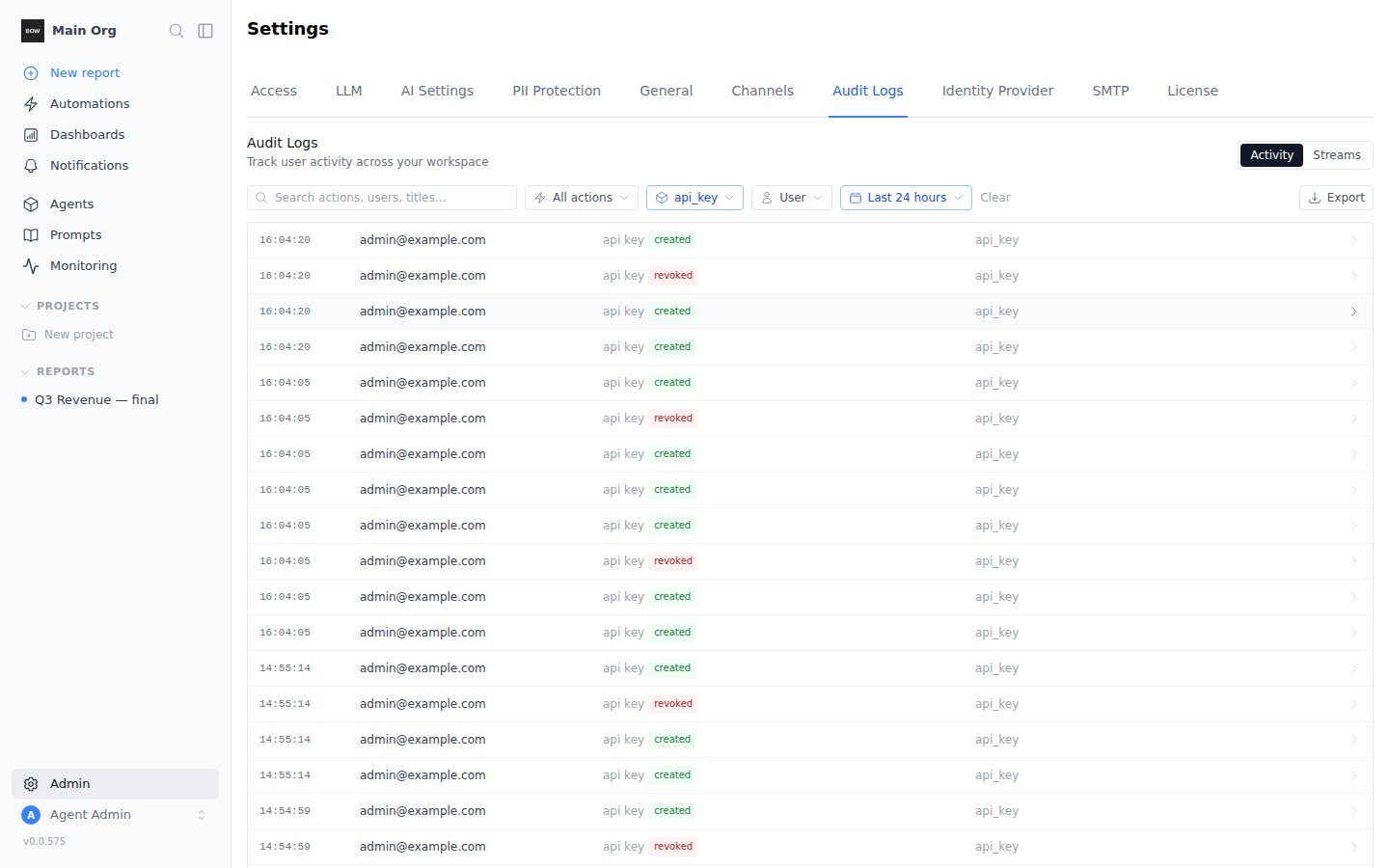
Export
Click Export and choose JSON or CSV. The file holds every event that matches the current filters, oldest first, as of the moment you clicked.- JSON is newline-delimited: one event per line, in the same event format that log streams send.
- CSV has one row per event, with the details as a JSON column. Cells that a spreadsheet would treat as a formula are escaped.
audit_log.exported event, with the format and filters used.
Log streams
A log stream delivers every audit event to an external system, continuously, within about 15 seconds of it happening.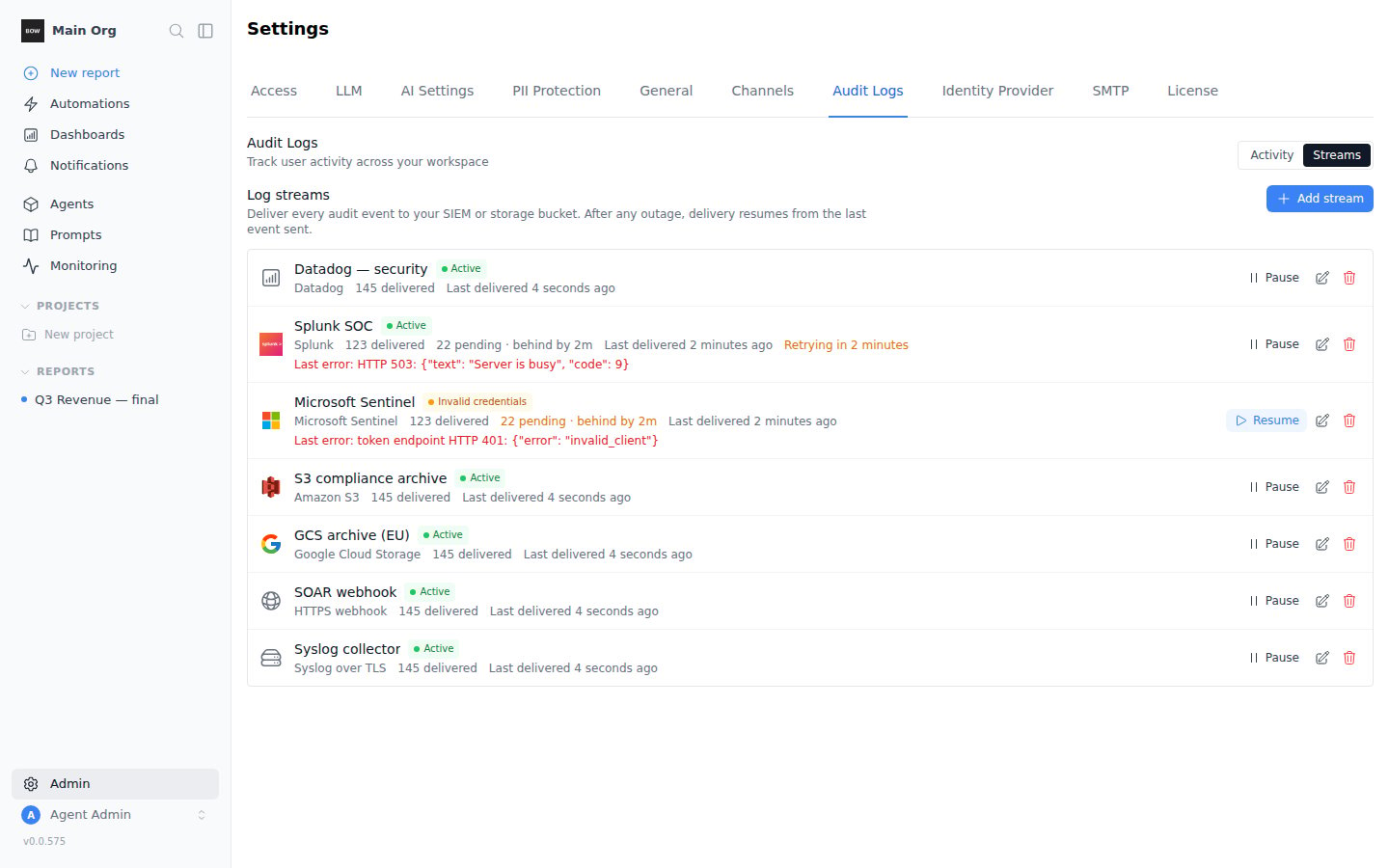
Add a stream
1
Choose a destination
In Streams, click Add stream and pick where events should go.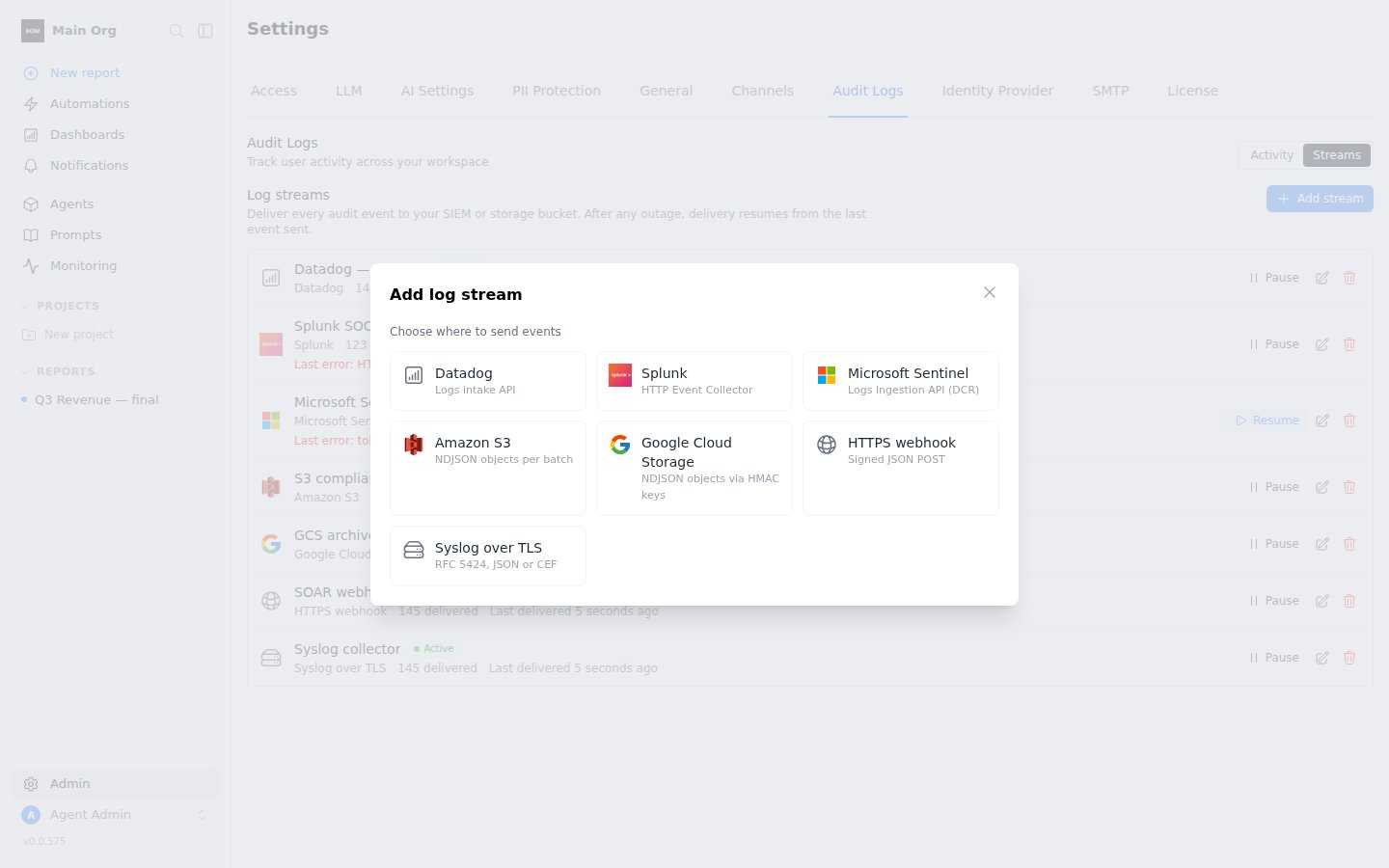
2
Fill in the connection details
Each destination asks for its own settings (see the table below). Secrets are encrypted and never shown again; when you edit a stream, leave a secret field as is to keep it.
3
Choose what to send
Under Start from, pick New events only or Include all history. To send only some events, list action prefixes in Only actions starting with, for example
tool., member.. Leave it empty to send everything.4
Send a test event
Click Send test event. Bag of Words sends one
audit_stream.test event with your settings and shows the destination’s answer. Fix any error before saving.5
Save
Click Save stream. Delivery starts on the next cycle.
Destinations
Amazon S3 with an IAM role
Amazon S3 with an IAM role
Enter the Role ARN instead of access keys. When you save, Bag of Words generates an External ID and shows it in the stream form. Add it to the role’s trust policy as the
sts:ExternalId condition. The role needs s3:PutObject on the bucket and prefix.Verify HTTPS webhook signatures
Verify HTTPS webhook signatures
If you set a signing secret, each request carries two headers:Respond with any
X-BOW-Timestamp: Unix time in seconds.X-BOW-Signature:v1=followed by the hex HMAC-SHA256 oftimestamp + "." + body, keyed with your secret.
2xx to acknowledge the batch.Syslog with a private CA or mutual TLS
Syslog with a private CA or mutual TLS
Under Advanced settings, paste your CA certificate to trust a private collector, and a client certificate and key for mutual TLS.
Delivery guarantees
- Every event, in order, at least once. A stream remembers the last event it delivered and resumes from there after any outage, pause, edit or restart. No event is skipped.
- Deduplicate on
id. In rare cases, such as a restart in the middle of a send, an event can be delivered twice. It has the sameidboth times. S3 and Cloud Storage files from a retried batch overwrite the same object. - Pause and edit are safe. Pausing stops delivery after the current batch. Editing a stream’s settings resends anything that was not yet confirmed to the new settings.
Status and retries
Each stream shows its state, how many events it has delivered, how many are pending and how far behind it is, and the last error.
When a stream moves to Invalid credentials or Error, the organization’s admins get an email, and the change is recorded as an
audit_stream.state_changed event. No events are lost while a stream is stopped.
Event format
Log streams and JSON export use the same versioned format:Permissions
Creating, changing, pausing, resuming and deleting a stream are recorded as
audit_stream.* events.
Self-hosted notes
- Encryption key. Stream secrets are encrypted with
BOW_ENCRYPTION_KEY, like data source credentials. Keep it stable. If it changes, streams with secrets move to Invalid credentials until you re-enter their secrets; no events are lost. - Network access. The server must reach the destination. On restricted networks, allow the destination’s endpoint, or stream to an internal syslog collector or HTTPS endpoint.
- Delivery interval. Streams are checked every 15 seconds by default. Set
BOW_AUDIT_STREAM_INTERVAL_SECONDSto change it.