
Before you start
- You are an admin. A global instruction applies to every agent, so it needs the org-level permission to manage instructions. To change an agent’s description, you need manage access to that agent.
- You have two or more agents that people can ask about in the same place.
Step 1: See what Auto does
On the home page, click the agent selector in the prompt box. Auto (Any agent you can access) is the default. Below it you see the agents you can use.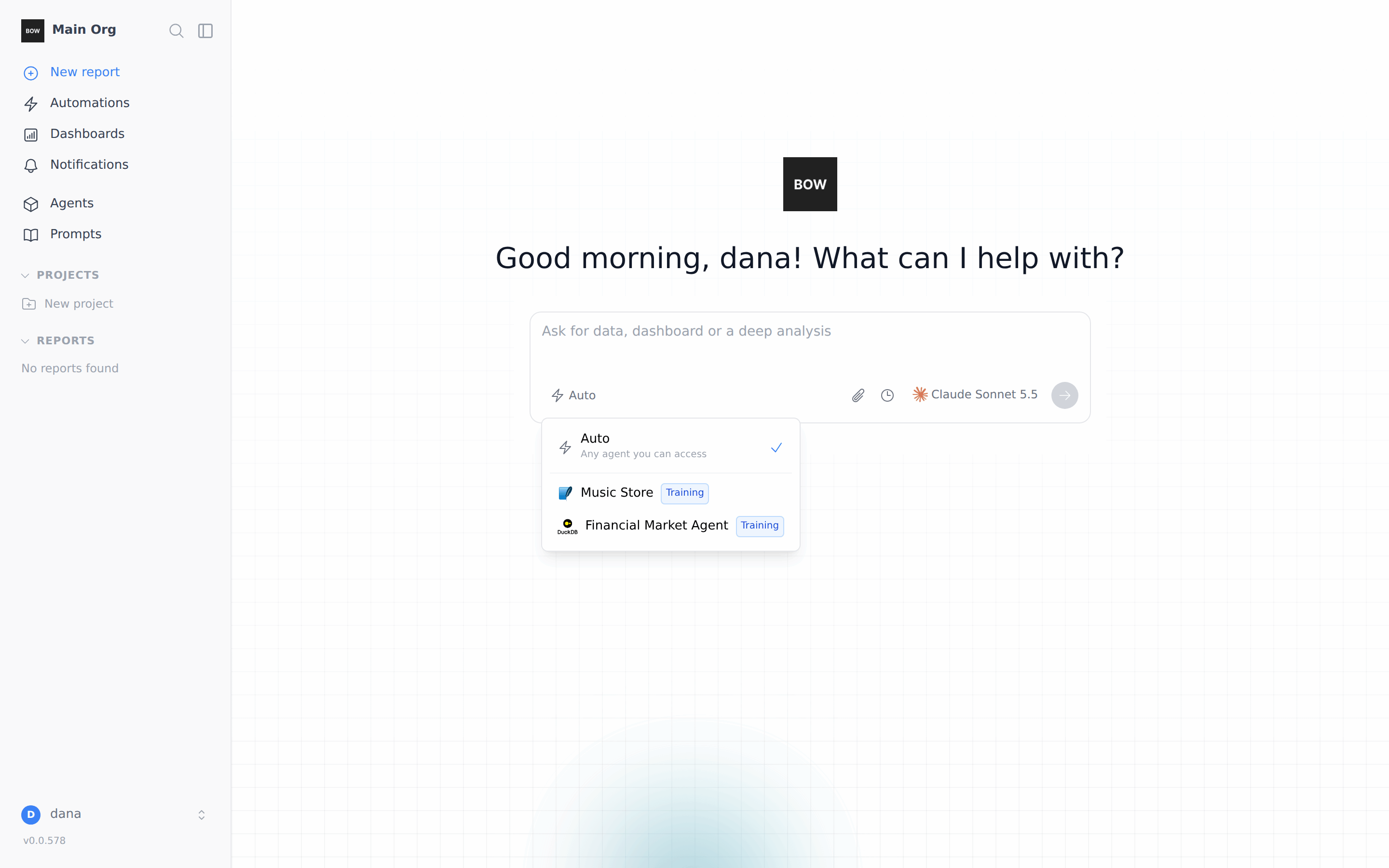
Step 2: Give each agent a clear description
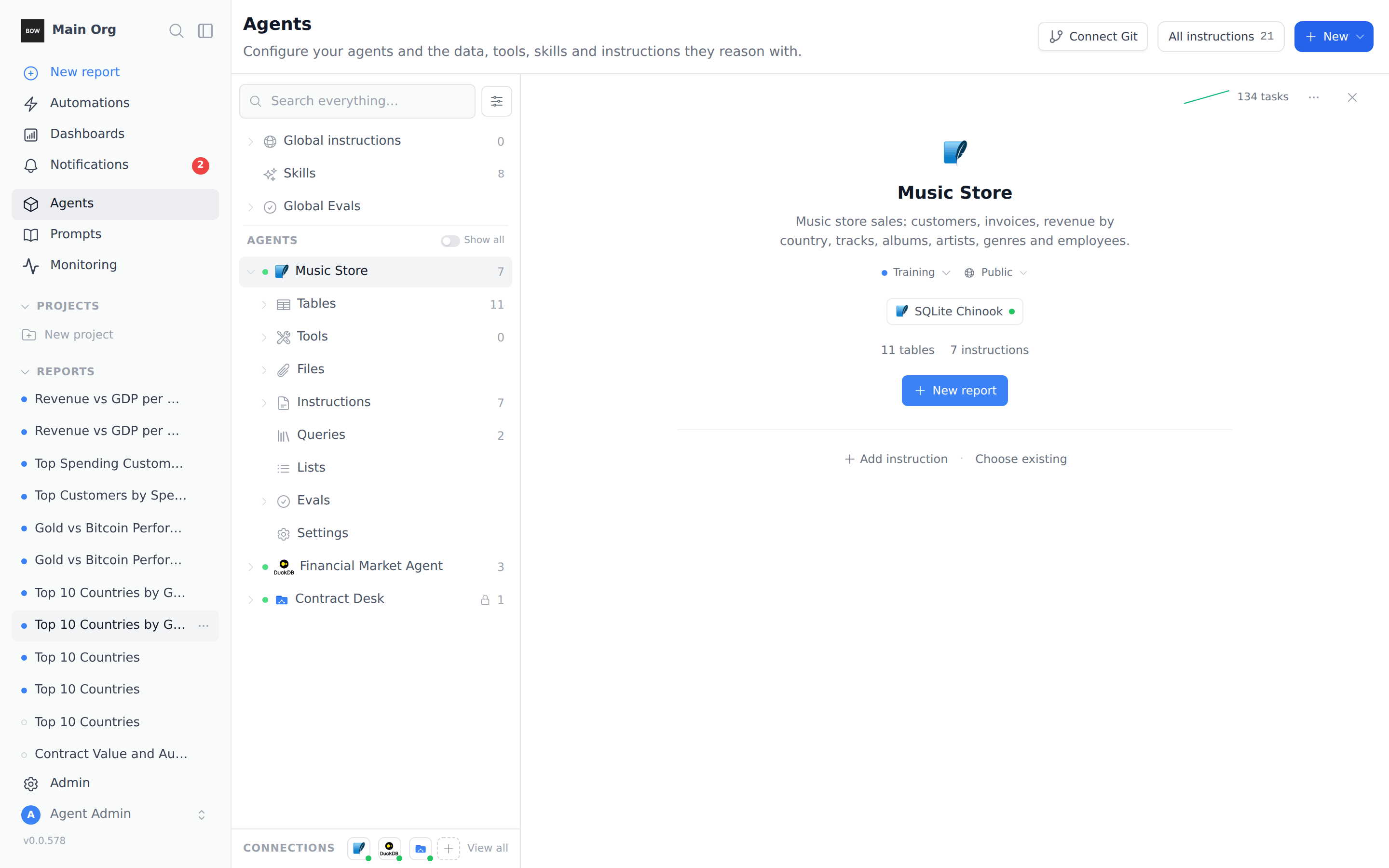
The description is the one line that says what an agent covers. Make it a list of the things people actually ask about.- Open Agents and select the agent.
- Click the line under the agent’s name (or Add a description… if it is empty).
- Type the description and press Enter.
Step 3: Create a global routing instruction
A global instruction is not tied to any agent, so it loads before BOW has picked one. That makes it the right place for routing rules.-
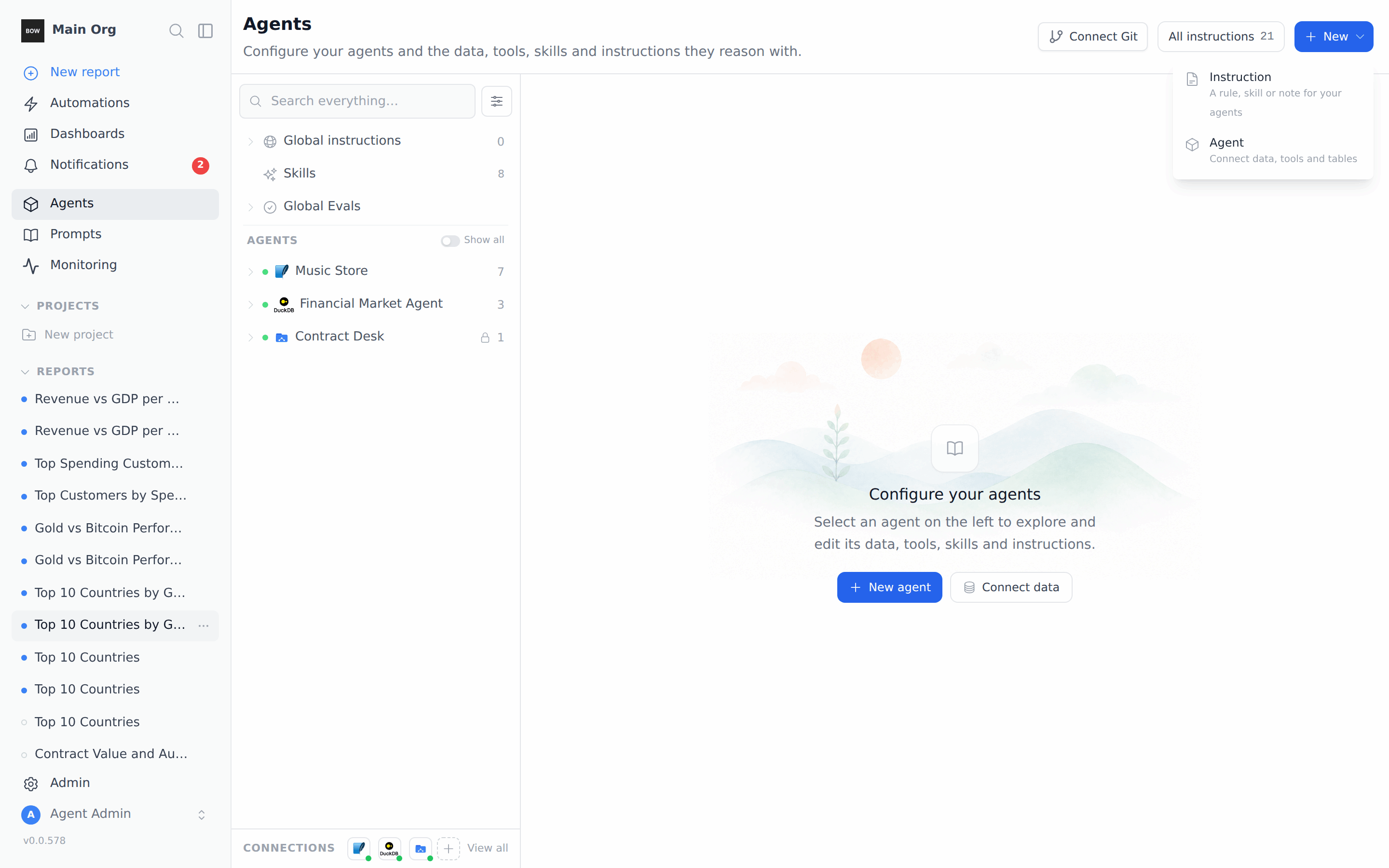
On the Agents page, click New and choose Instruction.
-
Name it Agent routing and write one rule per line:
- Questions about customers, invoices, sales, revenue, tracks, artists, genres or employees → use the Music Store agent.
- Questions about stock prices, gold, bitcoin, GDP, country economics or bank failures → use the Financial Market Agent.
- If a question about ‘countries’ doesn’t say which, default to Music Store sales by country.
-
Check the settings under Details:
- Active, so it is live.
- Always, so it loads on every question. A Smart instruction loads only when the question matches it, which is too late for routing.
- All agents. Leave the agents empty. This is what makes the instruction global.
- Click Create. It appears under Global instructions on the left.
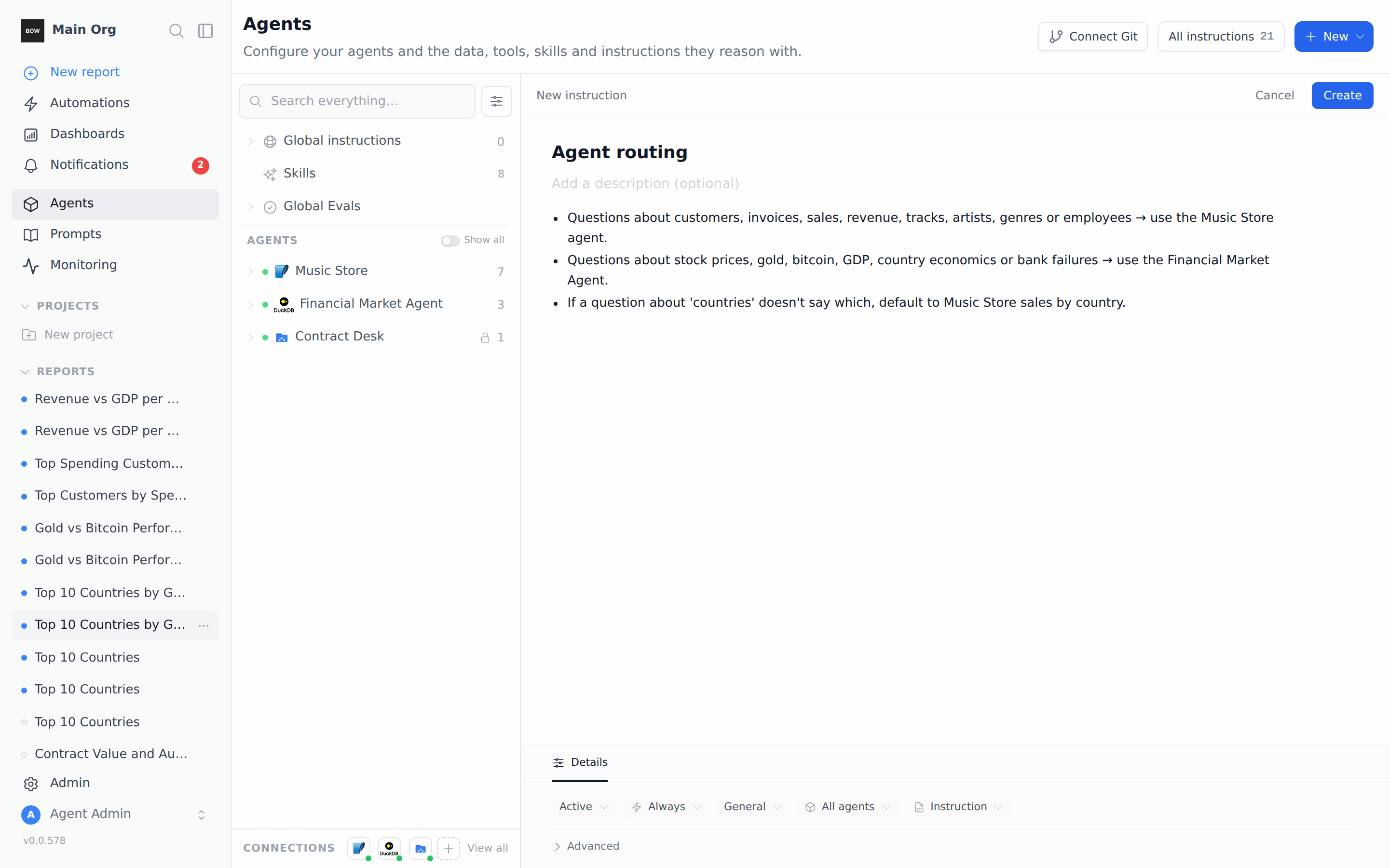
An instruction that is linked to specific agents loads only when one of those agents is in use. That works for rules that apply after BOW has picked an agent, but not for choosing the agent.
Step 4: Test it with Auto
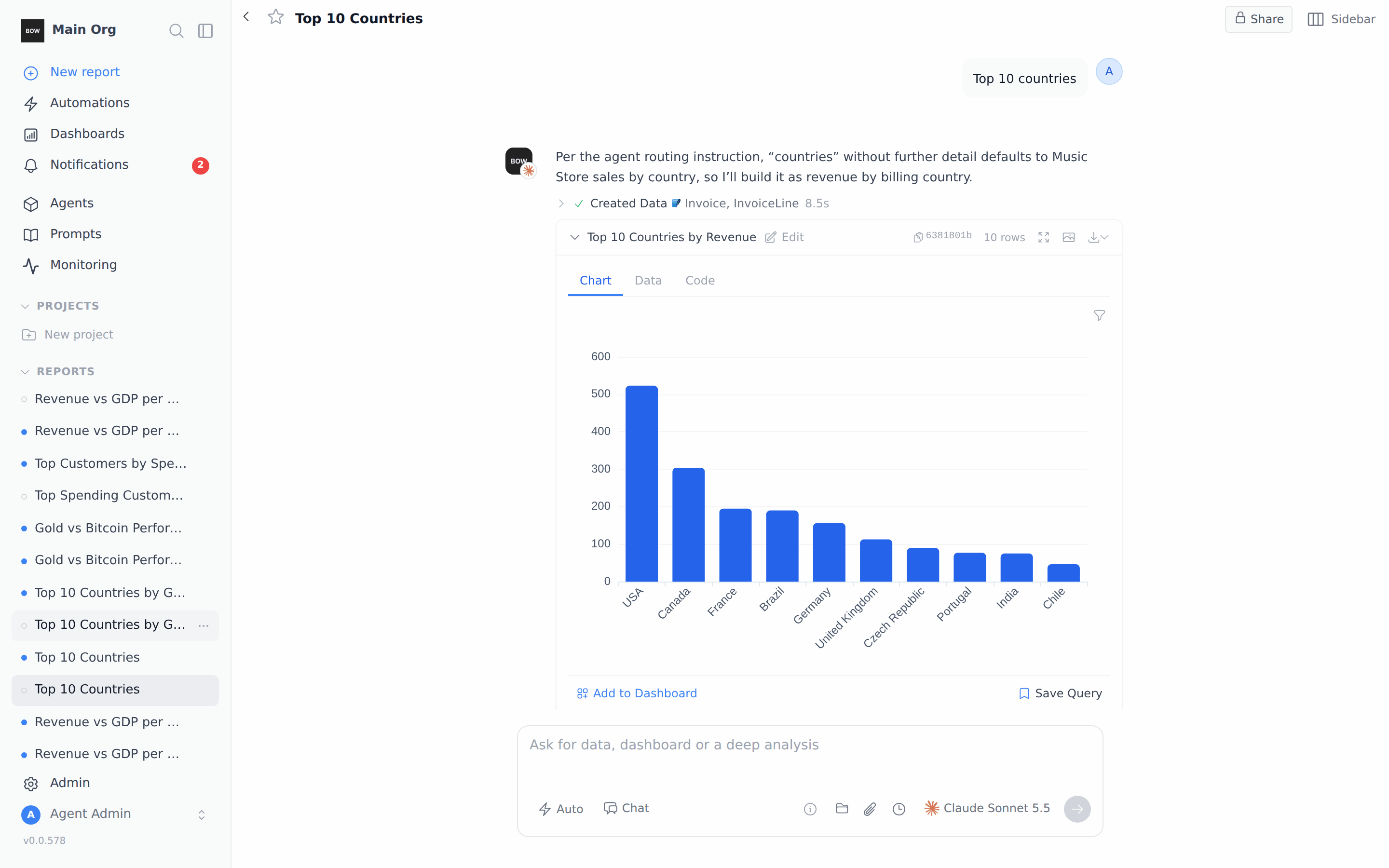
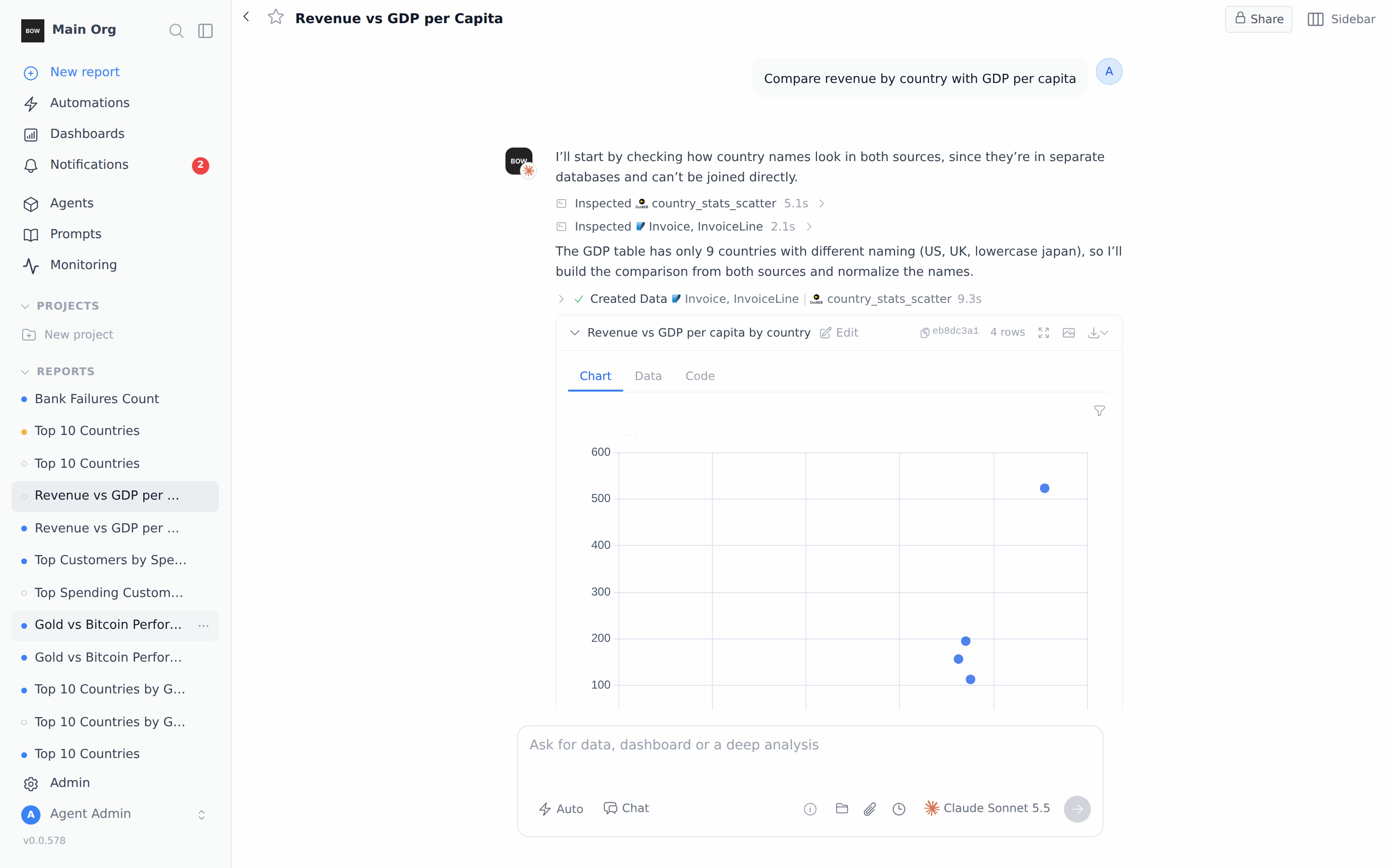
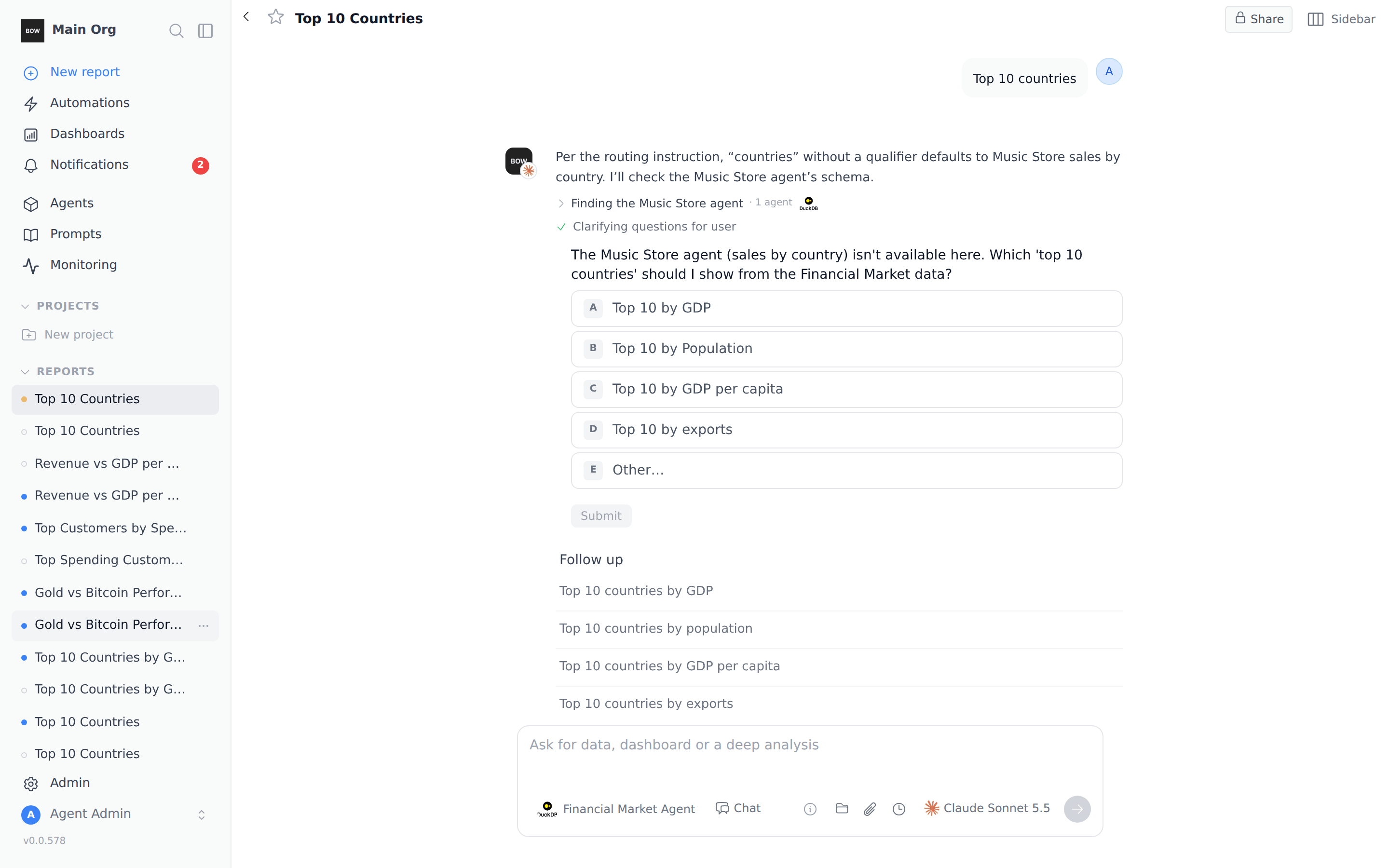
Start a New report, leave the selector on Auto, and ask a question that could fit either agent:Top 10 countriesThe first line of the answer says which rule BOW followed, and the step below it shows the agent icon and the tables it used. Here it reads “Per the agent routing instruction…” and uses the Music Store Invoice and InvoiceLine tables. To check that the instruction loaded, click N instructions under the answer. Agent routing is in the Instructions loaded list.
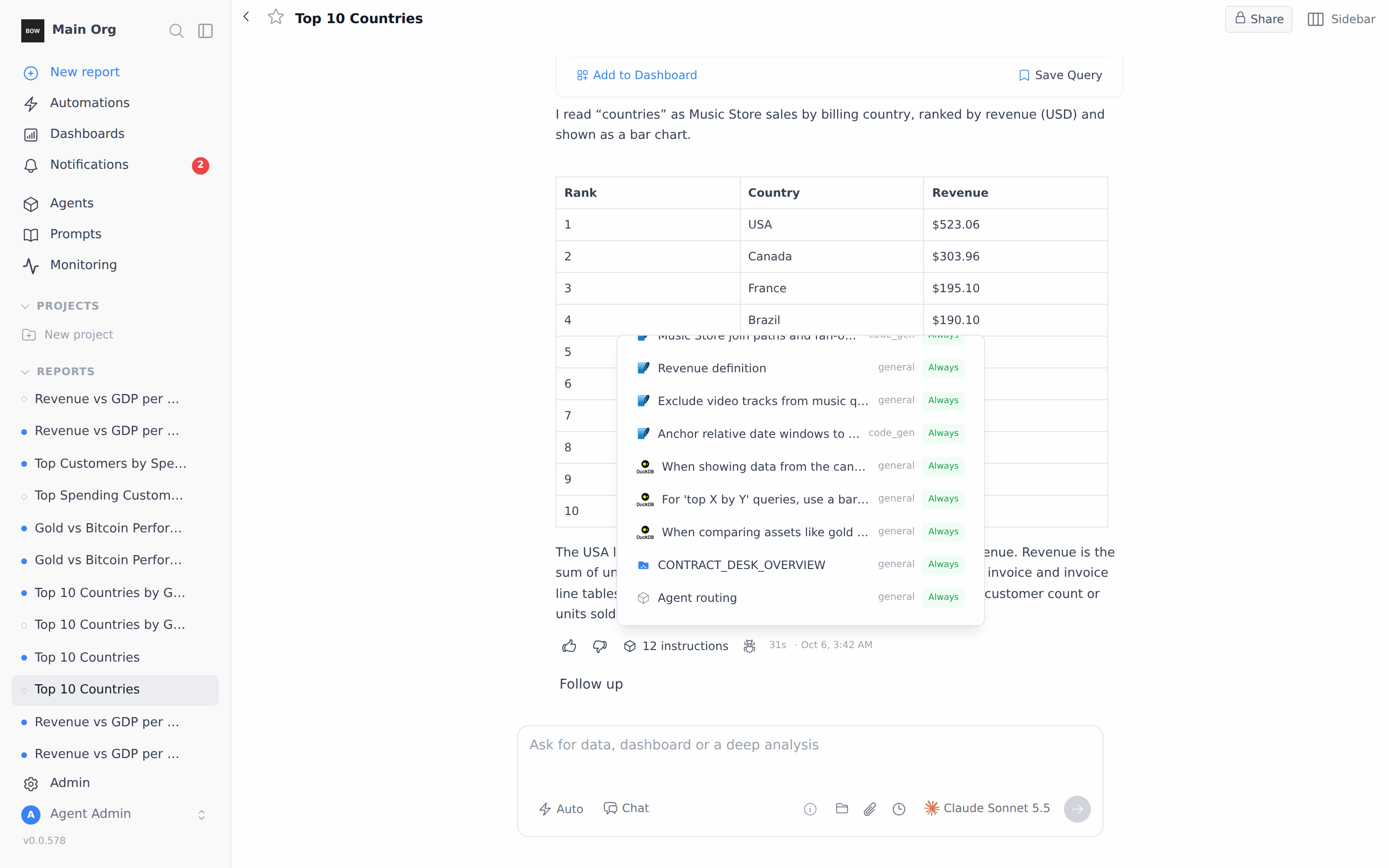
Top 10 countries by GDP per capitaBOW goes to the Financial Market Agent and its country_stats_scatter table. The “countries” default applies only when the question doesn’t say what kind of country data it wants.
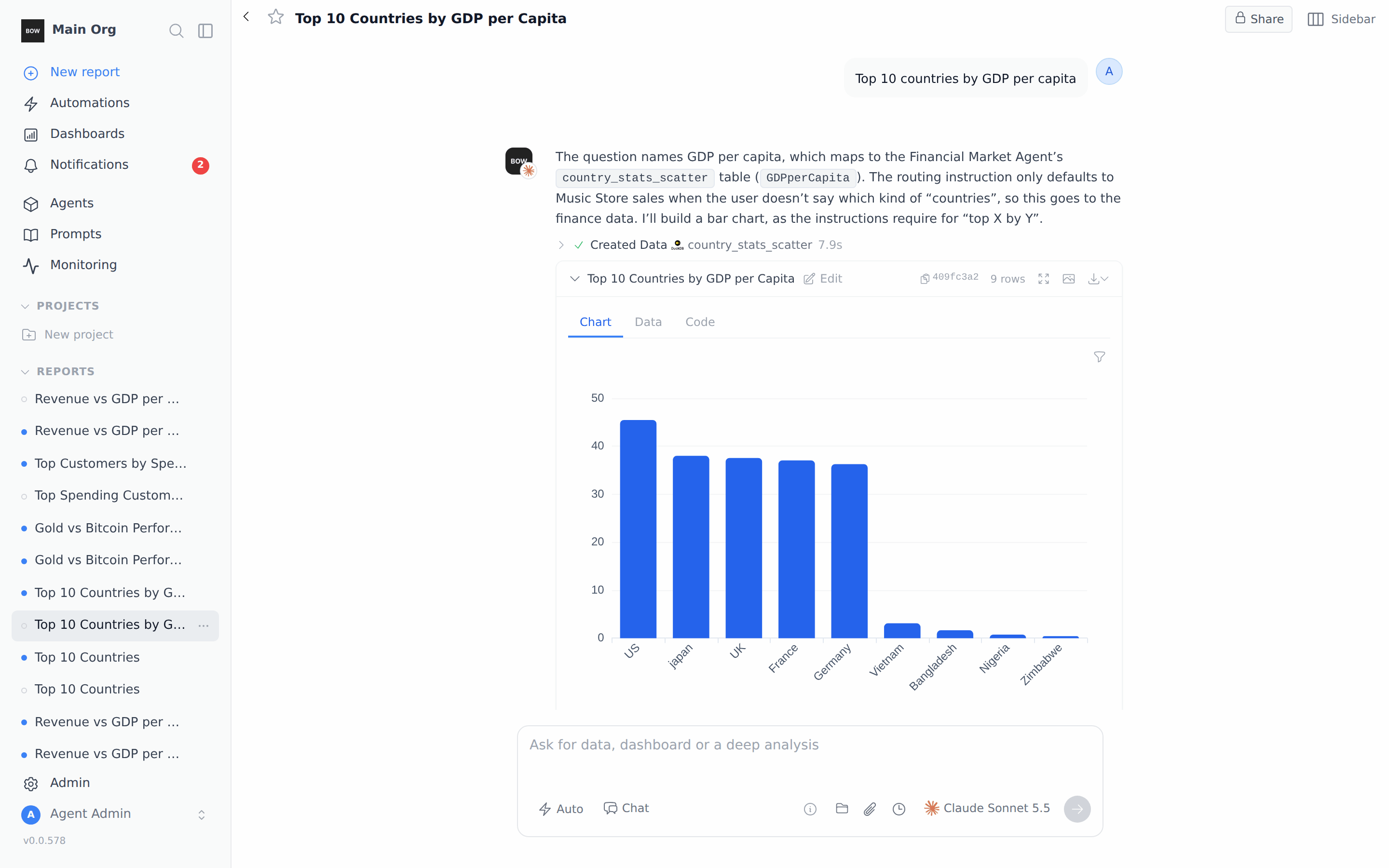
Compare revenue by country with GDP per capitaThe steps show tables from each agent, and the final query combines them.
The two agents are separate databases, so a cross-agent answer only matches rows that exist in both. In this example the finance data has 9 countries, so the comparison has 4 rows.
Step 5: Pin an agent when you already know
If you know which agent you want, pick it in the selector instead of Auto. Click the selector, choose the agent, then click anywhere outside the menu to close it. The selector now shows the agent’s name.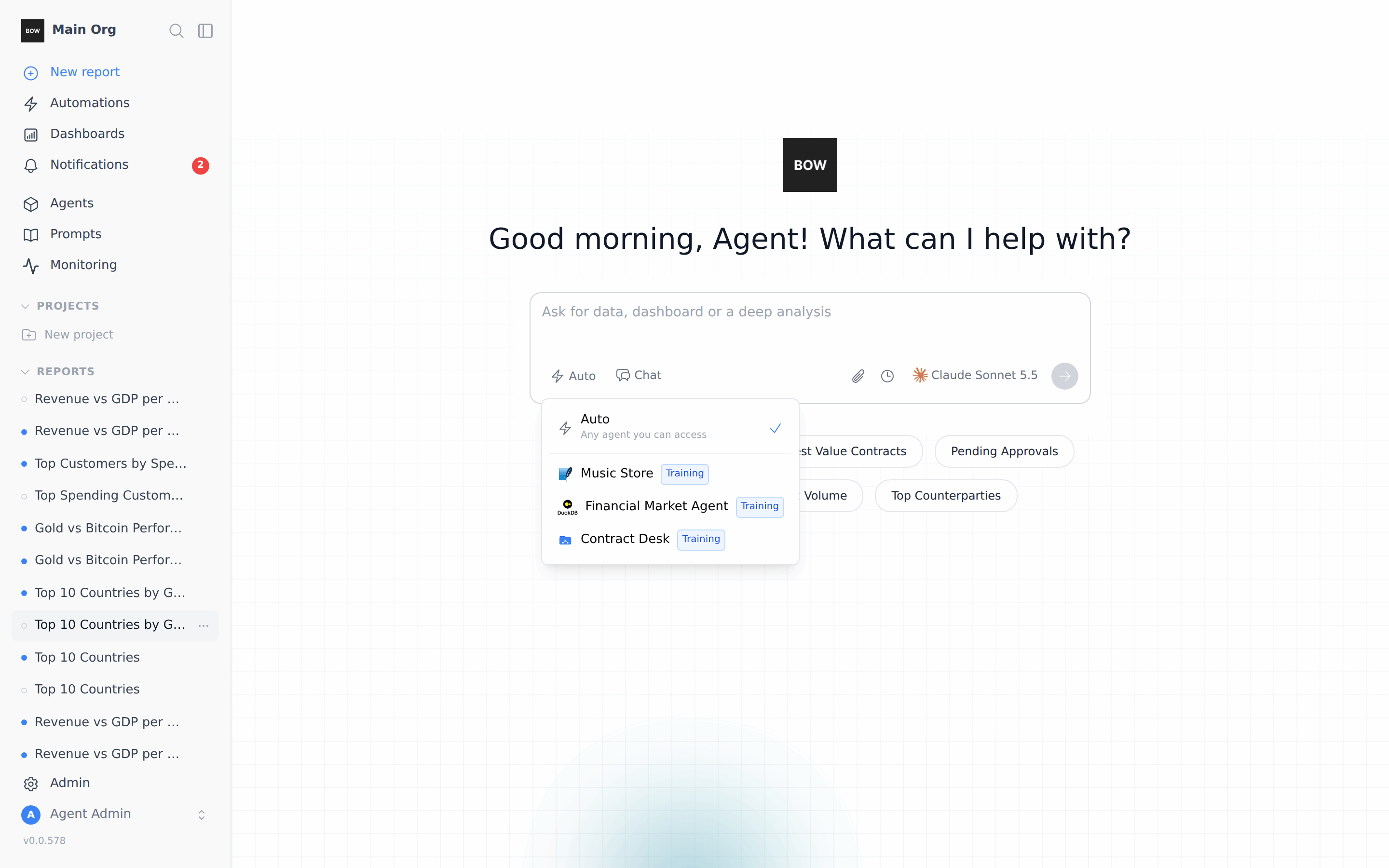
Optional: Share one rule across several agents
Some rules are not about routing but apply to more than one agent, like For ‘top X by Y’ questions, use a bar chart. Instead of copying it into each agent, create one instruction and select every agent it applies to in the agents menu under Details.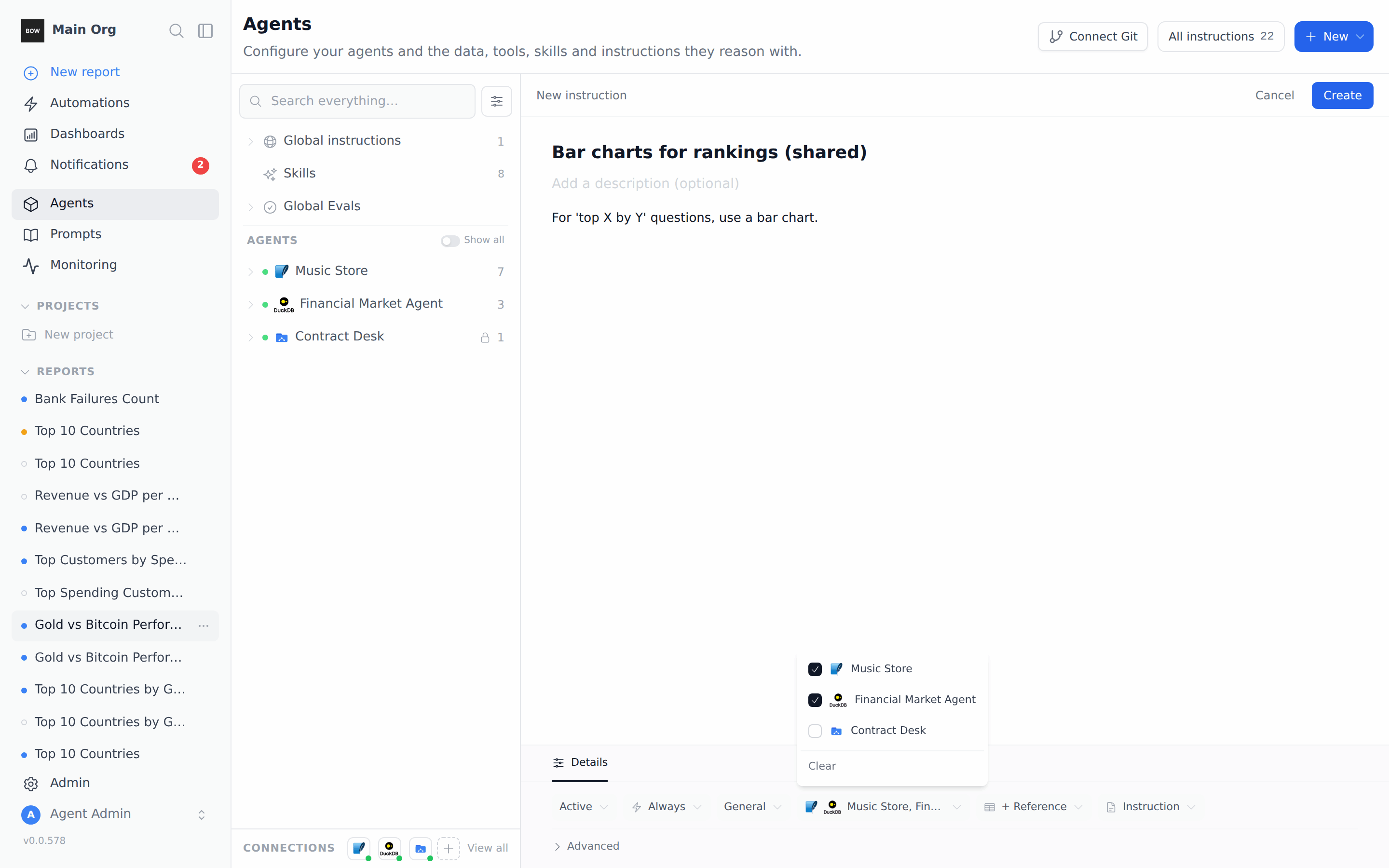
What to expect
With only a few agents, BOW loads every agent’s tables and Always instructions on every question, so it often picks the right agent from the tables alone. In our tests the five questions above went to the same agents with or without the routing instruction. What the instruction changed was the reasoning: without it, BOW said “Top 10 countries” could mean several things and guessed. With it, BOW cited the rule and chose Music Store sales every time. The routing instruction matters most when:- Agents overlap. Both have countries, revenue, customers or dates.
- Short questions are common. “Top 10 countries”, “revenue last month”, “best customers”.
- You have many agents. BOW then works from each agent’s description first, before it looks at tables. Clear descriptions and a routing instruction help it pick the right one.
More prompts to try
Tips
- Write rules as “topic → agent”. List the words people use, then name the agent exactly as it appears in Agents.
- Give every ambiguous word a default. “Countries”, “revenue” and “customers” are common overlaps.
- Keep routing in one global instruction. Agent-specific rules belong on the agent.
- Test in a new report with Auto. Ask the same short question twice. If BOW picks different agents, add a default for it.
- Pinning wins. A routing rule can’t send a question to an agent that isn’t picked.