> ## Documentation Index
> Fetch the complete documentation index at: https://docs.bagofwords.com/llms.txt
> Use this file to discover all available pages before exploring further.
# Catalog
> Save and reuse queries and datasets across your organization
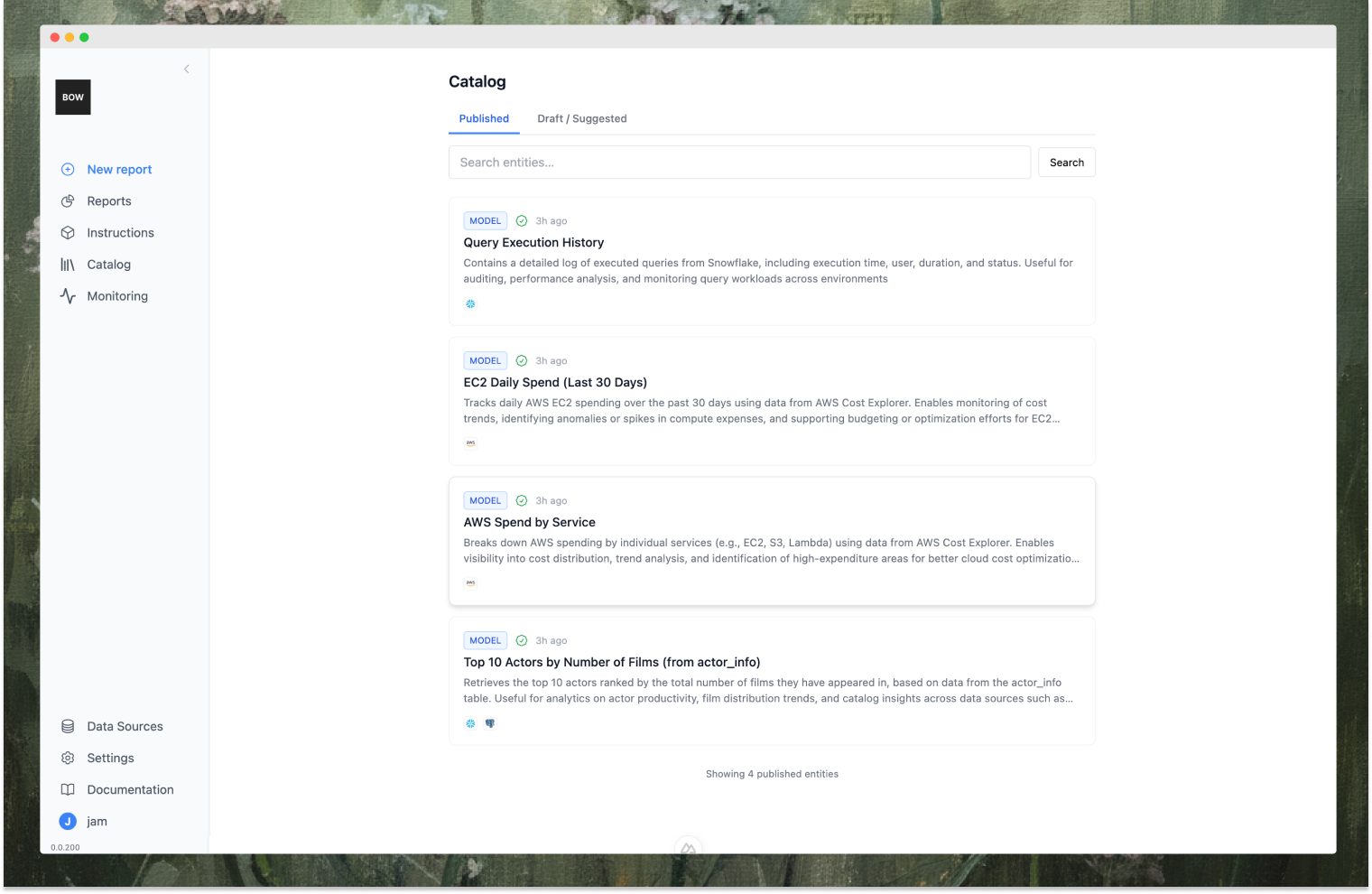 The Catalog stores reusable queries and datasets called "Entities". Entities are versioned, runnable, and discoverable by AI. They include code, metadata, linked data sources, and execution history.
## What is an Entity?
An Entity contains:
* **Metadata**: Title, description, tags, type (model or metric)
* **Code**: SQL or Python code
* **Structure**: Column definitions and result shape
* **Data sources**: Linked database connections
* **Execution history**: Last refreshed timestamp and result data
Entities can be previewed and executed to refresh data. Users only see entities whose data sources they have access to.
## Saving Entities
Save entities from report steps by clicking **"Save to Catalog"** (admins) or **"Suggest to Catalog"** (members).
**Permissions**:
* **Admins** (`create_entities`): Save directly as Draft or Published
* **Members** (`suggest_entities`): Submit suggestions for admin review (private until approved)
**Entity Fields**:
* **Type**: Model (dataset/table) or Metric (calculated value/KPI)
* **Title**: Short name
* **Description**: What it does and when to use it
* **Data Sources**: Which databases it uses (defaults to report's sources)
* **Tags**: Keywords for discovery
The system captures code, view definition, columns, and data source links automatically.
## Editing and Running Entities
Open an entity to edit:
The Catalog stores reusable queries and datasets called "Entities". Entities are versioned, runnable, and discoverable by AI. They include code, metadata, linked data sources, and execution history.
## What is an Entity?
An Entity contains:
* **Metadata**: Title, description, tags, type (model or metric)
* **Code**: SQL or Python code
* **Structure**: Column definitions and result shape
* **Data sources**: Linked database connections
* **Execution history**: Last refreshed timestamp and result data
Entities can be previewed and executed to refresh data. Users only see entities whose data sources they have access to.
## Saving Entities
Save entities from report steps by clicking **"Save to Catalog"** (admins) or **"Suggest to Catalog"** (members).
**Permissions**:
* **Admins** (`create_entities`): Save directly as Draft or Published
* **Members** (`suggest_entities`): Submit suggestions for admin review (private until approved)
**Entity Fields**:
* **Type**: Model (dataset/table) or Metric (calculated value/KPI)
* **Title**: Short name
* **Description**: What it does and when to use it
* **Data Sources**: Which databases it uses (defaults to report's sources)
* **Tags**: Keywords for discovery
The system captures code, view definition, columns, and data source links automatically.
## Editing and Running Entities
Open an entity to edit:
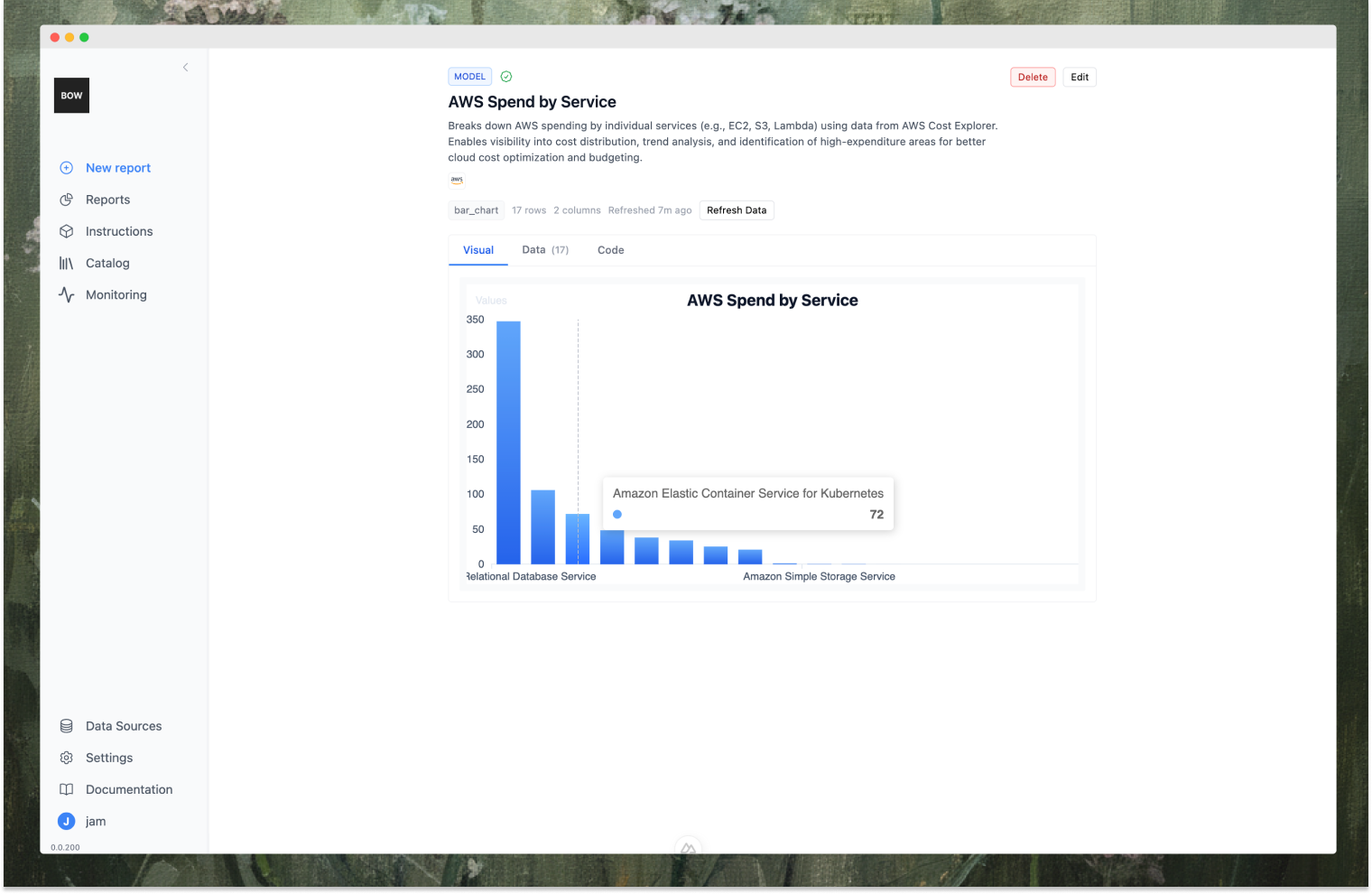 **Details Tab**: Edit type, title, description, data sources, tags, status
**Code Tab**:
* **Preview**: Run code without saving changes (returns table preview or error)
* **Run and Save**: Execute code, store results, update last refreshed timestamp
## Entity Lifecycle
**Member Workflow**:
1. Save from report → Status: Draft, Visibility: Private, Global Status: Suggested
2. Admin reviews: Approve (→ Published, globally visible) or Reject (→ Archived, private)
3. Withdraw: Pull back suggestion before approval (→ private, published)
**Admin Workflow**:
1. Save from report as Draft or Published (Global Status: Approved, no review needed)
2. Edit any entity, review suggestions, archive outdated entities
## Visibility and Access
**Data Source Permissions**: Users only see entities whose data sources they can access.
**Entity Status**:
* **Published + Approved**: Visible to everyone with data source access
* **Draft/Suggested/Archived**: Only visible to owner and admins
Access is enforced in catalog lists, entity details, previews, and code execution.
## AI Discovery
Saved entities are indexed (title, description, tags, code, structure, columns, data sources) and become discoverable through semantic search.
Bag of words uses this index to recommend relevant entities and surface similar past analyses. AI only surfaces entities you have permission to access.
**Details Tab**: Edit type, title, description, data sources, tags, status
**Code Tab**:
* **Preview**: Run code without saving changes (returns table preview or error)
* **Run and Save**: Execute code, store results, update last refreshed timestamp
## Entity Lifecycle
**Member Workflow**:
1. Save from report → Status: Draft, Visibility: Private, Global Status: Suggested
2. Admin reviews: Approve (→ Published, globally visible) or Reject (→ Archived, private)
3. Withdraw: Pull back suggestion before approval (→ private, published)
**Admin Workflow**:
1. Save from report as Draft or Published (Global Status: Approved, no review needed)
2. Edit any entity, review suggestions, archive outdated entities
## Visibility and Access
**Data Source Permissions**: Users only see entities whose data sources they can access.
**Entity Status**:
* **Published + Approved**: Visible to everyone with data source access
* **Draft/Suggested/Archived**: Only visible to owner and admins
Access is enforced in catalog lists, entity details, previews, and code execution.
## AI Discovery
Saved entities are indexed (title, description, tags, code, structure, columns, data sources) and become discoverable through semantic search.
Bag of words uses this index to recommend relevant entities and surface similar past analyses. AI only surfaces entities you have permission to access.