> ## Documentation Index
> Fetch the complete documentation index at: https://docs.bagofwords.com/llms.txt
> Use this file to discover all available pages before exploring further.
# Connecting a Data Source
> The setup flow: connect, choose tables, add context, and control access
Connecting a data source takes a few minutes. Making it *good* — so the agent answers accurately — is the part worth spending time on: the tables you enable, the description you write, and the instructions you attach are what separate a useful agent from one that guesses.
## Add the connection
1. Go to **Settings → Data Sources** and click to add one.
2. Pick the connector. Use the category chips or search; Enterprise-only connectors show a lock if you have no license.
3. Fill in the connection fields and credentials. Every connector's fields are documented on its own page — see the [catalog](/data-sources/overview).
4. Decide whether this connection uses shared credentials or [per-user authentication](/data-sources/authentication).
5. **Test** the connection, then save. Bag of words validates the credentials before storing them, so a saved connection is a working one.
Nothing is copied. Bag of words queries your data where it lives, every time, using the credentials you configured.
## Choose which tables the agent sees
Once connected, Bag of words reads the schema and lists what it found. Enable the tables (or files, or tools) the agent should use.
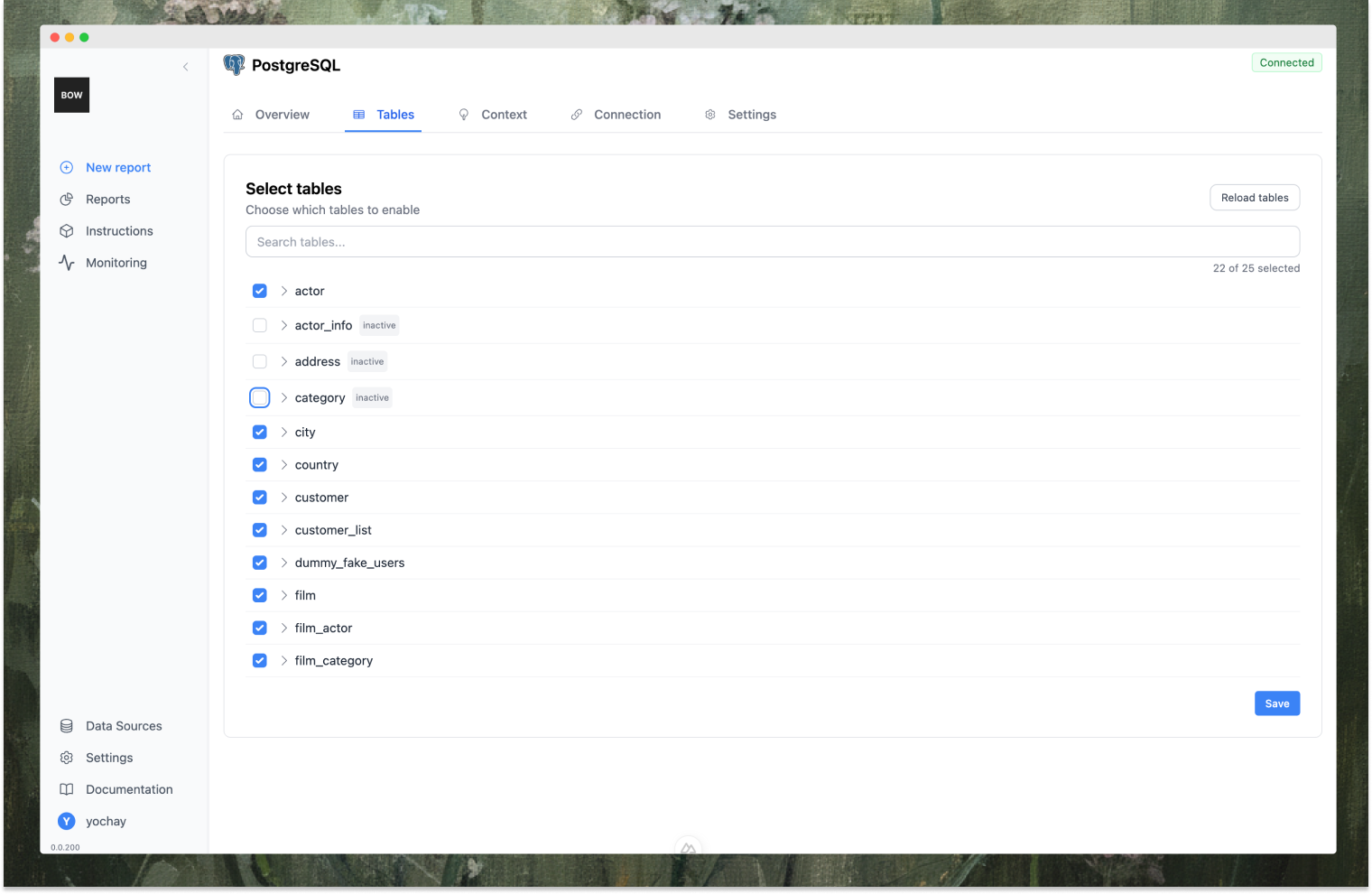 Enabling everything is usually a mistake. A focused set of well-understood tables produces better queries than a complete catalog the agent has to guess its way through. You can reload the list whenever your schema changes, and enable more later.
Start with the tables that answer your most common questions. Add more as real usage shows what's missing.
## Describe what the data means
The schema tells the agent what exists; the description tells it what things *mean*. This is the highest-leverage text you will write.
**Description** — the business domain, the key entities, and how they relate:
```text theme={null}
This data source is a database for a movie rental business. It tracks movies (films),
actors, customers, rentals, payments, and stores. Key tables include:
• film: details about each movie
• actor: information about actors
• customer: customer contact and account info
• rental: records of movie rentals by customers
• payment: payments made by customers
• store: store locations and staff
Movies are linked to actors (film_actor), categories (film_category), and inventory
(inventory). Customers are linked to rentals and payments. Staff manage stores and
transactions.
```
Enabling everything is usually a mistake. A focused set of well-understood tables produces better queries than a complete catalog the agent has to guess its way through. You can reload the list whenever your schema changes, and enable more later.
Start with the tables that answer your most common questions. Add more as real usage shows what's missing.
## Describe what the data means
The schema tells the agent what exists; the description tells it what things *mean*. This is the highest-leverage text you will write.
**Description** — the business domain, the key entities, and how they relate:
```text theme={null}
This data source is a database for a movie rental business. It tracks movies (films),
actors, customers, rentals, payments, and stores. Key tables include:
• film: details about each movie
• actor: information about actors
• customer: customer contact and account info
• rental: records of movie rentals by customers
• payment: payments made by customers
• store: store locations and staff
Movies are linked to actors (film_actor), categories (film_category), and inventory
(inventory). Customers are linked to rentals and payments. Staff manage stores and
transactions.
```
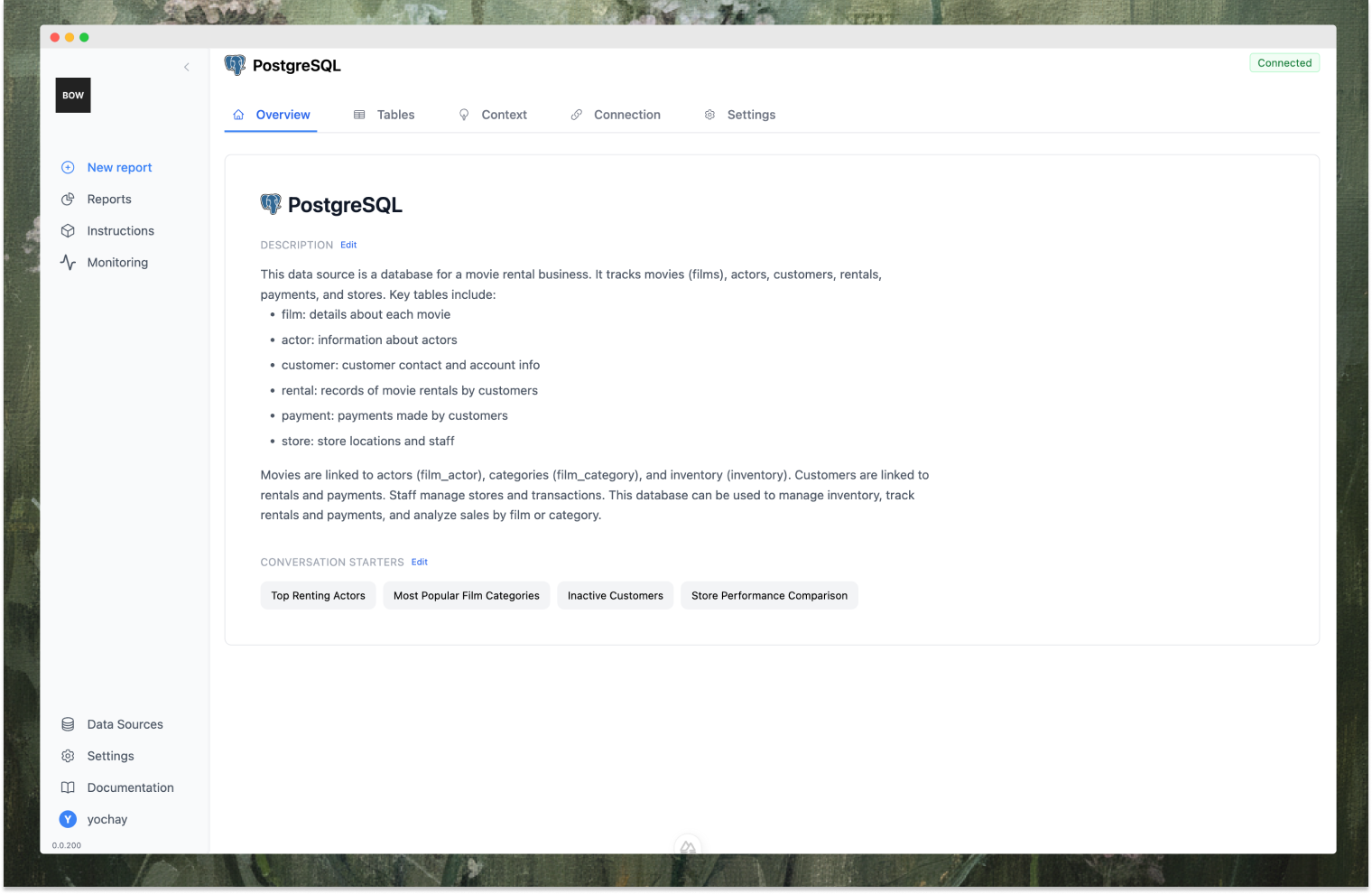 **Conversation starters** — prompts that appear as chips on the home page and in chat channels, guiding people toward analyses that work well:
* "Top Renting Actors"
* "Most Popular Film Categories"
* "Inactive Customers"
* "Store Performance Comparison"
Both can be edited at any time.
## Add instructions and import context from Git
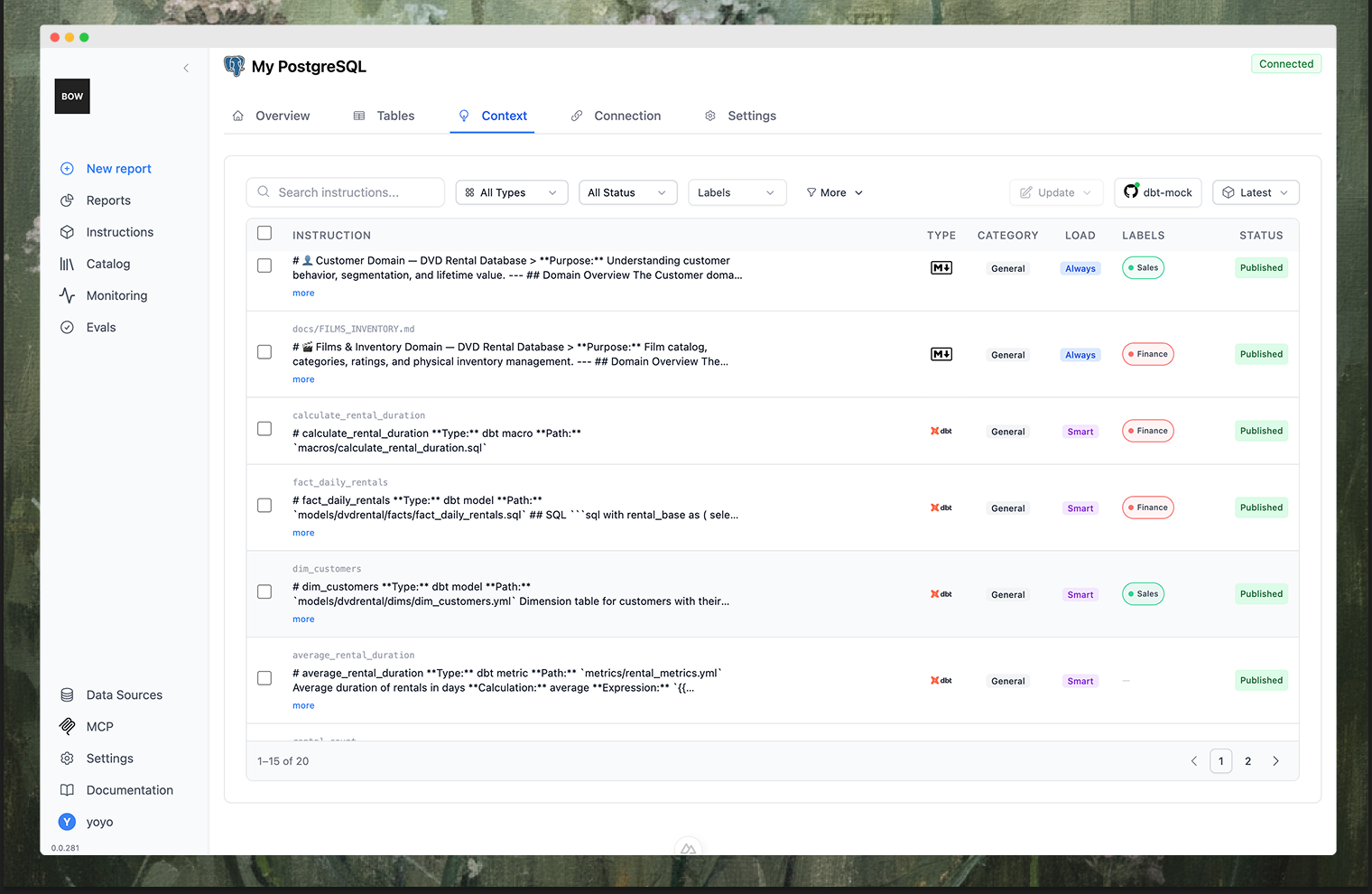
Instructions encode business logic the schema can't express — how revenue is defined, which rows to exclude, which of two similar tables is canonical. You can write them by hand, or import them from a Git repository so your existing definitions stay the source of truth:
* **dbt** — model descriptions, column documentation, and relationships
* **LookML** — Looker models and their business logic
* **Tableau** — data models and calculated fields
* **Markdown** — any documentation file in the repo, such as `AGENTS.md`
* **Code** — SQL and Python files
Point Bag of words at the repo and it syncs automatically. See [Instructions](/using-bow/instructions) for how they are managed, versioned, and scoped, and [Git Workflow](/guides/git) for the repository setup.
**Conversation starters** — prompts that appear as chips on the home page and in chat channels, guiding people toward analyses that work well:
* "Top Renting Actors"
* "Most Popular Film Categories"
* "Inactive Customers"
* "Store Performance Comparison"
Both can be edited at any time.
## Add instructions and import context from Git
Instructions encode business logic the schema can't express — how revenue is defined, which rows to exclude, which of two similar tables is canonical. You can write them by hand, or import them from a Git repository so your existing definitions stay the source of truth:
* **dbt** — model descriptions, column documentation, and relationships
* **LookML** — Looker models and their business logic
* **Tableau** — data models and calculated fields
* **Markdown** — any documentation file in the repo, such as `AGENTS.md`
* **Code** — SQL and Python files
Point Bag of words at the repo and it syncs automatically. See [Instructions](/using-bow/instructions) for how they are managed, versioned, and scoped, and [Git Workflow](/guides/git) for the repository setup.
 ## Control access
On the data source's settings tab:
* **Members** — who can use this data source, and at what permission level.
* **User authentication** — require each person to connect with their own credentials instead of sharing one set. See [Authentication and access](/data-sources/authentication).
* **Channel availability** — which chat channels this data source is reachable from. A source can be available in the web app but hidden from Slack, for example. See [Channels](/channels/overview).
## Keep the catalog fresh
Schemas drift. Reload the table list after a migration, and re-run indexing when you add objects. On Enterprise, connections can re-index on a schedule instead — either every N hours or at a fixed time of day — so the agent's picture of your data stays current without anyone remembering to refresh it.
## Best practices
* **Write a rich description.** More context about your domain means better queries.
* **Enable only relevant tables.** Don't make the agent sort through unused ones.
* **Name connections clearly.** "Production DB" beats "postgres-1".
* **Add instructions for business logic.** Definitions, filters, and calculation rules belong here, not in every user's prompt.
* **Create conversation starters.** They teach people what the agent is good at.
* **Use per-user auth for sensitive sources.** Let the source system enforce its own permissions.
## Control access
On the data source's settings tab:
* **Members** — who can use this data source, and at what permission level.
* **User authentication** — require each person to connect with their own credentials instead of sharing one set. See [Authentication and access](/data-sources/authentication).
* **Channel availability** — which chat channels this data source is reachable from. A source can be available in the web app but hidden from Slack, for example. See [Channels](/channels/overview).
## Keep the catalog fresh
Schemas drift. Reload the table list after a migration, and re-run indexing when you add objects. On Enterprise, connections can re-index on a schedule instead — either every N hours or at a fixed time of day — so the agent's picture of your data stays current without anyone remembering to refresh it.
## Best practices
* **Write a rich description.** More context about your domain means better queries.
* **Enable only relevant tables.** Don't make the agent sort through unused ones.
* **Name connections clearly.** "Production DB" beats "postgres-1".
* **Add instructions for business logic.** Definitions, filters, and calculation rules belong here, not in every user's prompt.
* **Create conversation starters.** They teach people what the agent is good at.
* **Use per-user auth for sensitive sources.** Let the source system enforce its own permissions.