> ## Documentation Index
> Fetch the complete documentation index at: https://docs.bagofwords.com/llms.txt
> Use this file to discover all available pages before exploring further.
# OAuth Apps
> Let your own applications sign users in to BOW and call the BOW API with OAuth 2.1 and PKCE
Use Bag of Words as the identity and data backend for your own application. Each person signs in to BOW, your app receives a short-lived user token, and every API request continues to use that person's organization membership and permissions.
BOW supports the OAuth 2.1 Authorization Code flow with PKCE `S256`. Use the `app` scope for reports, completions, artifacts, and the rest of the BOW API.
OAuth handles both local BOW accounts and configured single sign-on providers. Your application always redirects to BOW; BOW handles the user's local or Microsoft Entra ID sign-in and returns them to your registered callback.
## Recommended architecture
For production web applications, use a backend-for-frontend:
```text theme={null}
Browser → Your application backend → BOW API
↑
OAuth tokens stay here
```
The browser starts sign-in through your backend. The backend stores the PKCE verifier and OAuth tokens in the user's encrypted session, calls BOW with the access token, and streams the BOW response back to the browser.
This architecture needs no BOW CORS configuration because backend-to-backend requests are not subject to browser CORS.
A browser-only application can also use PKCE as a public client. If its JavaScript calls BOW directly from another origin, the BOW deployment must explicitly allow that origin with `BOW_CORS_ALLOWED_ORIGINS`. Never use `*`; list exact origins instead. See [Embed BOW Chat](/guides/embed#browser-only-apps-and-cors).
## Register an OAuth app
You need the `manage_settings` permission.
1. In BOW, open **Settings → Channels → OAuth Apps**.
2. Select **Register app**.
3. Enter a recognizable app name.
4. Select **BOW app** for API access. Select **MCP tools** only when the same client also connects to BOW's MCP endpoint.
5. Add every allowed redirect URI, one exact URI per line.
6. Enable **Trusted** only for an internal application operated by your organization.
7. Register the app and copy its client ID. Store the one-time client secret if your backend will use it.
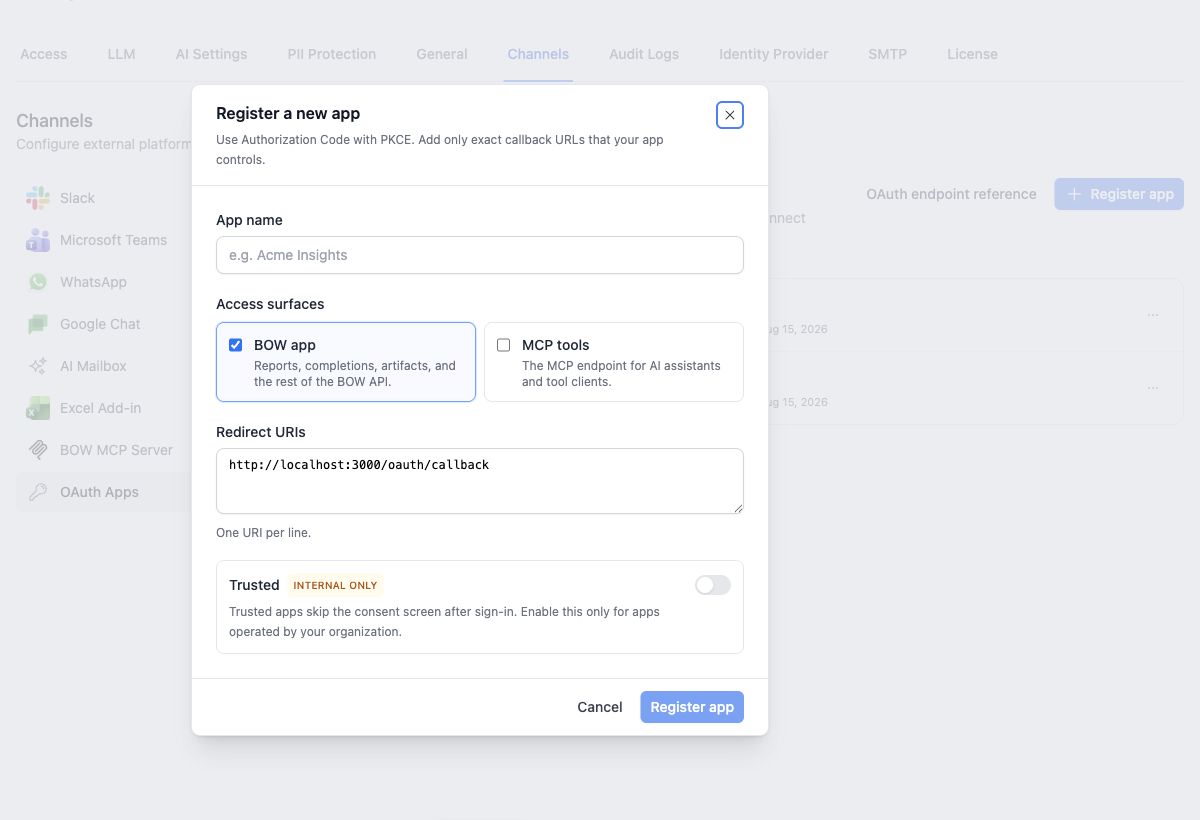
Redirect URIs must match exactly, including scheme, hostname, port, path, and trailing slash.
A public PKCE client does not need the client secret. A backend application should store it server-side and include it at the token endpoint.
## Access surfaces
| Scope | Access |
| ----- | ------------------------------------------------------------------------ |
| `app` | Reports, completions, artifacts, and the rest of the BOW application API |
| `mcp` | The BOW MCP endpoint for AI assistants and MCP clients |
Scopes separate the two surfaces; they do not replace BOW permissions. An `app` token can perform only the actions its user can already perform in that organization. An `app`-only token cannot call MCP, and an `mcp`-only token cannot call the application API.
Changing an app's access surfaces revokes its existing authorization codes, access tokens, and refresh tokens.
## Sign-in and consent
Send the browser to BOW's authorization endpoint:
```http theme={null}
GET {BOW_URL}/api/oauth/authorize
?response_type=code
&client_id={CLIENT_ID}
&redirect_uri={URL_ENCODED_CALLBACK}
&scope=app
&state={RANDOM_STATE}
&code_challenge={PKCE_CHALLENGE}
&code_challenge_method=S256
```
If the user does not have a BOW session, BOW shows its sign-in page. The user can sign in with a local account or any configured provider, including Microsoft Entra ID. To configure Entra for the BOW deployment, see [Microsoft Entra ID sign-in](/install#for-microsoft-entra-id-azure-ad).
After sign-in:
* A regular app shows the BOW consent screen.
* A **Trusted** app is approved automatically and returns immediately to its callback. Trusted skips consent, not authentication.
* If the user selects **Deny**, BOW returns `error=access_denied` and the original `state` to the callback. No authorization code or token is created.
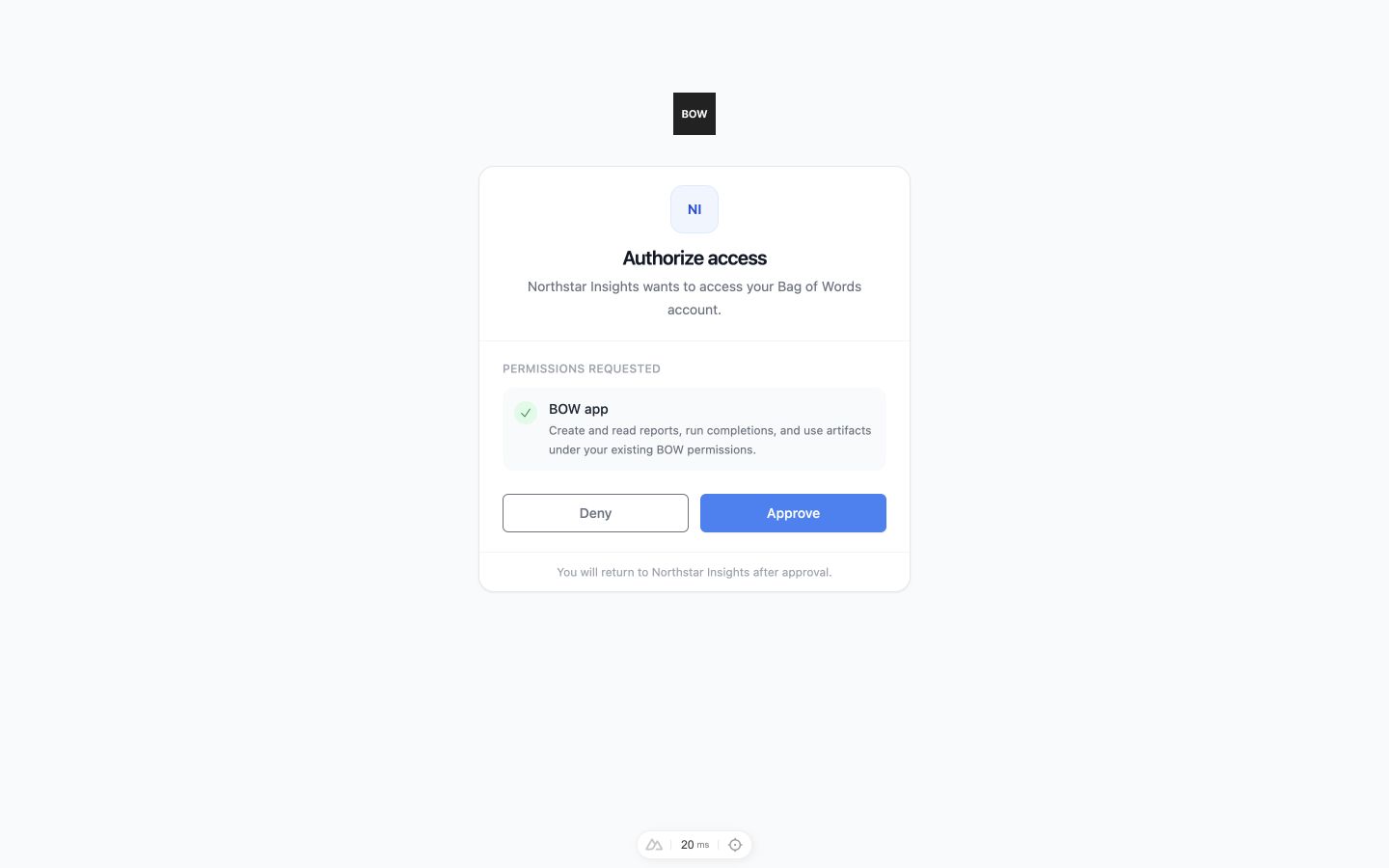
Always generate and validate `state` to protect the redirect flow.
## Exchange the authorization code
At the callback, verify `state`, then exchange the short-lived code with the original PKCE verifier:
```ts theme={null}
const body = new URLSearchParams({
grant_type: "authorization_code",
client_id: CLIENT_ID,
code,
redirect_uri: CALLBACK_URL,
code_verifier,
});
// Backend clients can also send:
// body.set("client_secret", CLIENT_SECRET);
const response = await fetch(`${BOW_URL}/api/oauth/token`, {
method: "POST",
headers: { "Content-Type": "application/x-www-form-urlencoded" },
body,
});
if (!response.ok) throw new Error(`Token exchange failed: ${response.status}`);
const tokens = await response.json();
```
The response contains:
```json theme={null}
{
"access_token": "bow_oauth_...",
"token_type": "Bearer",
"expires_in": 28800,
"refresh_token": "bow_rt_...",
"scope": "app"
}
```
Authorization codes expire after five minutes and can be used once. App access tokens expire after eight hours.
## Call the BOW API
Send the access token as a bearer token:
```http theme={null}
POST /api/reports
Authorization: Bearer bow_oauth_...
Content-Type: application/json
```
Do not send `X-Organization-Id` to choose another organization. The organization is pinned to the OAuth app and token. BOW also rechecks the user's membership on every request; removing the user from the organization stops the token immediately.
See [Embed BOW Chat](/guides/embed) for report creation, streaming completions, tool events, artifacts, resume, and cancellation examples.
## Refresh the session
Use the refresh token before or after the access token expires:
```ts theme={null}
const body = new URLSearchParams({
grant_type: "refresh_token",
client_id: CLIENT_ID,
refresh_token,
});
// Backend clients can also send:
// body.set("client_secret", CLIENT_SECRET);
const response = await fetch(`${BOW_URL}/api/oauth/token`, {
method: "POST",
headers: { "Content-Type": "application/x-www-form-urlencoded" },
body,
});
const nextTokens = await response.json();
```
Refresh tokens last up to one year and rotate on every successful refresh. Replace the stored refresh token atomically; the previous token cannot be reused.
## Discovery endpoints
Use discovery instead of hard-coding endpoint paths when practical:
| Metadata | URL |
| -------------------------- | ---------------------------------------------------- |
| Authorization server | `{BOW_URL}/.well-known/oauth-authorization-server` |
| BOW API protected resource | `{BOW_URL}/.well-known/oauth-protected-resource/api` |
| MCP protected resource | `{BOW_URL}/.well-known/oauth-protected-resource` |
The authorization server metadata advertises the authorize and token endpoints, supported scopes, PKCE method, and grant types.
## Manage and revoke access
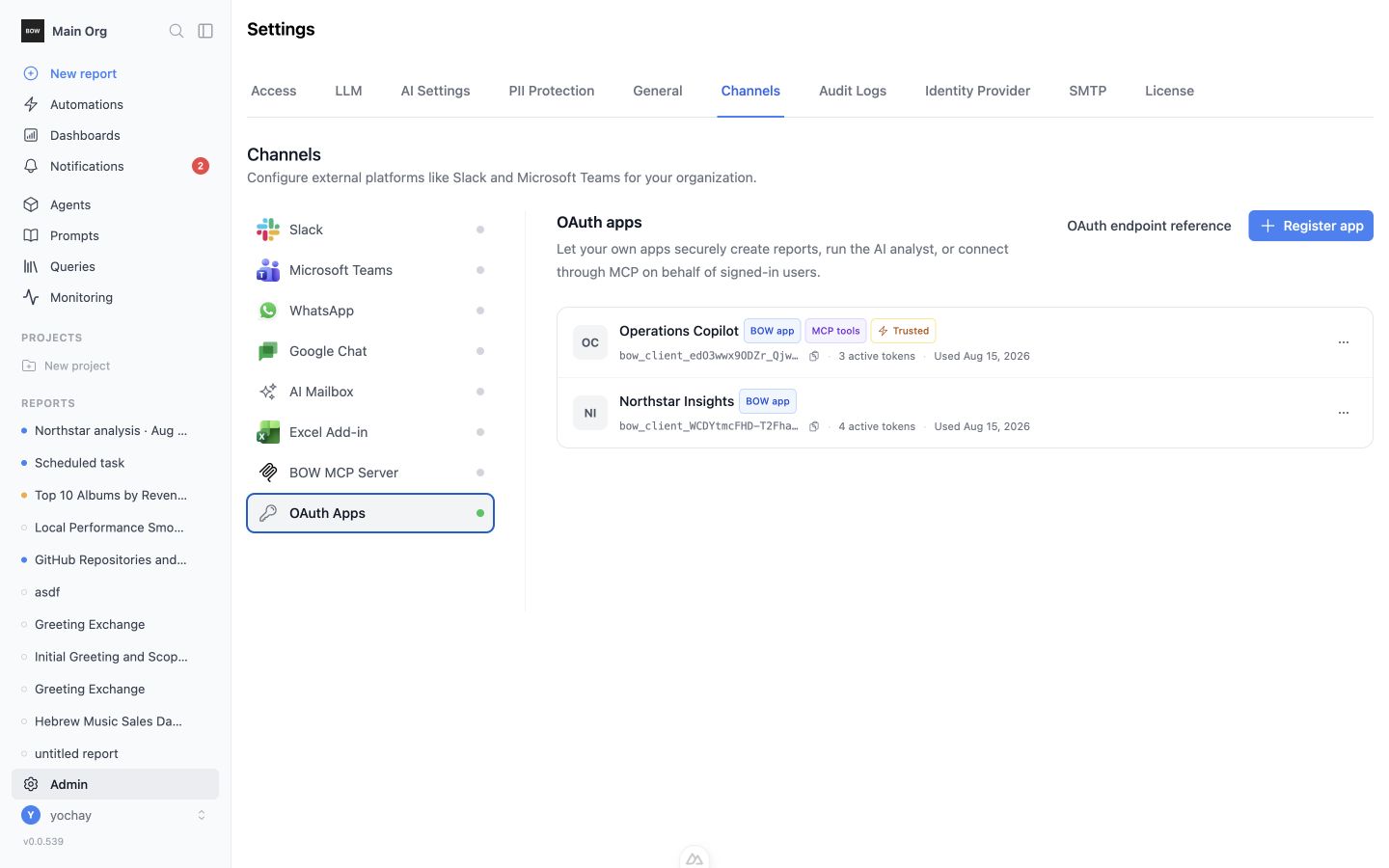
OAuth Apps shows each client ID, access surfaces, trusted status, active token count, and last-used time. Use its actions menu to:
* edit the name, scopes, trust setting, or redirect URIs
* rotate the client secret
* delete the app and revoke its codes and tokens
Treat **Trusted** as an organization-wide security decision. A trusted app receives access without an individual consent click after sign-in, so enable it only for software operated and reviewed by your organization.